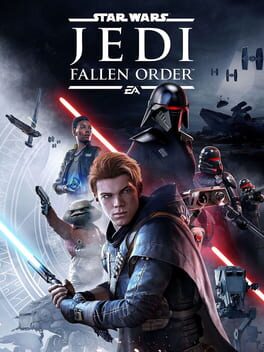
스타워즈 제다이: 폴른 오더 (Star Wars Jedi: Fallen Order)
Microsoft Windows · AYN Thor Max · GameNative · 성능 등급 훌륭함
emulog 설정 해석
| 구성 | AYN Thor Max + GameNative |
|---|---|
| 에뮬레이터 빌드 | v0.8.1 |
| 그래픽 드라이버 | [KIMCHI Turnip] v25.3.0 - Revision 11 |
| 기재된 설정 항목 | 24개 (기본값과 다르게 바꾼 항목 11개) |
| 성능 등급 | 훌륭함 |
기본값에서 조정된 항목: 컨테이너 변형, 에뮬레이터 버전, Wine 버전, 해상도 (화면 크기), 오디오 드라이버, 동적 드라이버 버전.
등급 판단 근거
이 게임에 등급이 기재된 보고 3건 가운데 이 조합보다 높은 등급은 0건(0%), 같은 등급은 0건입니다. 동일 에뮬레이터(GameNative)로 다른 기기에서 올라온 보고는 2건입니다. 작성자 코멘트 원문은 1,467자입니다.
같은 에뮬레이터의 다른 기기 결과
- AYN Thor Pro — 플레이 가능
- AYN Thor Max — 플레이 가능
세팅값
| 항목 | 설정값 |
|---|---|
| 컨테이너 변형 | glibc |
| 에뮬레이터 버전 | v0.8.1 |
| Wine 버전 | proton-10.0-arm64ec |
| 해상도 (화면 크기) | 1920x1080 (16:9) |
| 오디오 드라이버 | pulse |
| Steam 유형 | normal |
| 동적 드라이버 버전 | [KIMCHI Turnip] v25.3.0 - Revision 11 (배포 파일: Turnip_v25.3.0_R11.zip) |
| 그래픽 드라이버 | Turnip (Adreno) |
| DX 래퍼 | DXVK |
| DXVK 버전 | 2.6.1-gplasync |
| 최대 장치 메모리 | 0 |
| Adrenotools Turnip 사용 | 켜짐 |
| 시작 선택 | Essential (Load only essential services) |
| 32비트 에뮬레이터 | fex |
| 64비트 에뮬레이터 | fex |
| Box64 버전 | 0.3.8 |
| Box64 프리셋 | performance |
| FEXCore 버전 | 2603 |
| FEXCore 프리셋 | intermediate |
| DirectInput 매퍼 유형 | standard |
| DirectInput API 활성화 | 켜짐 |
| XInput API 활성화 | 켜짐 |
| Steam Input 사용 | 꺼짐 |
| 평균 FPS | 29 |
작성자 코멘트(인용)
아래 코멘트는 EmuReady 사용자가 작성한 원문이며, emulog 은 한국어 번역과 위 해석만 추가했습니다.
게임 내장 다이내믹 해상도 설정이 부하가 많은 장면에서 해상도를 낮추는 데 매우 효과적입니다. 현재 FPS의 주된 제한 요소는 GPU 설정 외의 다른 것이므로, 어느 시점부터는 설정을 낮춰도 성능 향상 없이 품질만 떨어집니다. 이 설정은 다른 요소로 인해 결정된 최대 가능 프레임레이트를 유지하면서 최상의 그래픽을 구현하기 위한 설정입니다. **General** Container Variant - glibc Screen Size - 1920x1080 (16:9) Audio Driver - Pulse audio Use Legacy DRM - OFF Steam Type - Normal **Graphics** Graphics Driver - Turnip (Adreno) Graphics Driver Version - 25.3.0 DX Wrapper - DXVK DXVK Version - 2.6.1-gplasync Use DR13 - ON **Emulation** Box64 Version - 0.3.8 Box64 Preset - Performance **Wine** Renderer - NVIDIA GeForce GTX 480 Offscreen Rendering Mode - FBO Video Memory Size - 4096 MB (THOR MAX 전용) Enable CSMT - ON Enable Strict Shader Math - ON **Win Compenents** All Settings - Builtin (Wine) **Environment** DXVK_FRAME_RATE - 30 **Advanced** Startup Selection - Essential 인게임 설정: **Visuals** 모션 블러 - OFF 필름 그레인 - OFF 색수차 - OFF 카메라 흔들림 - OFF **Video** 창 모드 - Fullscreen 해상도 - 1920X1080 최대 FPS - 30 VSync - OFF 다이내믹 해상도 스케일링 - ON (그래픽 품질 - Custom) 가시거리 - Medium 그림자 품질 - High 안티앨리어싱 - Medium 텍스처 품질 - Epic 시각 효과 - Medium 포스트 프로세싱 - Medium
The games built-in dynamic resolution setting is really effective at reducing resolution as needed for demanding scenes. The primary limiting factor for fps right now something other than GPU settings, so there comes a point where decreasing settings reduce quality without improving performance. This setup is for best possible graphics without reducing below the max possible framerate determined by other factors. **General** Container Variant - glibc Screen Size - 1920x1080 (16:9) Audio Driver - Pulse audio Use Legacy DRM - OFF Steam Type - Normal **Graphics** Graphics Driver - Turnip (Adreno) Graphics Driver Version - 25.3.0 DX Wrapper - DXVK DXVK Version - 2.6.1-gplasync Use DR13 - ON **Emulation** Box64 Version - 0.3.8 Box64 Preset - Performance **Wine** Renderer - NVIDIA GeForce GTX 480 Offscreen Rendering Mode - FBO Video Memory Size - 4096 MB (ONLY FOR THOR MAX) Enable CSMT - ON Enable Strict Shader Math - ON **Win Compenents** All Settings - Builtin (Wine) **Environment** DXVK_FRAME_RATE - 30 **Advanced** Startup Selection - Essential In-Game Settings: **Visuals** Motion Blur - OFF Film Grain - OFF Chromatic Aberration - OFF Camera Shake - OFF **Video** Window Mode - Fullscreen Resolution - 1920X1080 Max FPS - 30 VSync - OFF Dynamic Resolution Scaling - ON (Graphics Quality - Custom) View Distance - Medium Shadow Quality - High Anti-Aliasing - Medium Texture Quality - Epic Visual Effects - Medium Post Processing - Medium