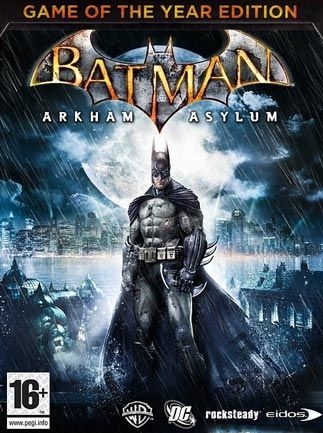
배트맨: 아캄 어사일럼 (Batman: Arkham Asylum - Game of the Year Edition)
Microsoft Windows · AYN Thor Pro · GameNative · 성능 등급 완벽
emulog 설정 해석
| 구성 | AYN Thor Pro + GameNative |
|---|---|
| 에뮬레이터 빌드 | 0.7.2 |
| 기재된 설정 항목 | 11개 (기본값과 다르게 바꾼 항목 7개) |
| 성능 등급 | 완벽 |
기본값에서 조정된 항목: 에뮬레이터 버전, 해상도 (화면 크기), 오디오 드라이버, 그래픽 드라이버, DXVK 버전, 게임 버전.
등급 판단 근거
이 게임에 등급이 기재된 보고 28건 가운데 이 조합보다 높은 등급은 0건(0%), 같은 등급은 11건입니다. 동일 에뮬레이터(GameNative)로 다른 기기에서 올라온 보고는 11건입니다. 작성자 코멘트 원문은 755자입니다.
같은 에뮬레이터의 다른 기기 결과
- AYANEO KONKR Pocket FIT (G3 Gen 3) — 완벽
- AYN Thor Max — 완벽
- RedMagic 9 Pro — 완벽
- AYN Thor Pro — 완벽
- Retroid Pocket G2 — 완벽
세팅값
| 항목 | 설정값 |
|---|---|
| 에뮬레이터 버전 | 0.7.2 |
| 해상도 (화면 크기) | 1280x720 |
| 오디오 드라이버 | PulseAudio |
| 그래픽 드라이버 | Turnip (Adreno) |
| DX 래퍼 | DXVK |
| DXVK 버전 | 1.10.3 |
| 시작 선택 | Aggressive (Stop services on startup) |
| Box64 버전 | 0.3.6 |
| Box64 프리셋 | Compatibility |
| 게임 버전 | 1.1 |
| 평균 FPS | 50-60 |
작성자 코멘트(인용)
아래 코멘트는 EmuReady 사용자가 작성한 원문이며, emulog 은 한국어 번역과 위 해석만 추가했습니다.
1) open container에서 physx를 다운로드하고 A, redist, physx.exe를 설치합니다. Vcredist.exe도 필요할 수 있습니다. open container를 눌러도 열리지 않으면 wine 버전을 전후로 바꾸고 실행 파일 경로를 binaries/bmlauncher.exe로 변경해 보세요. 2) wine 버전: proton 10.0-arm64ec-2 사용. 3) FEX core 2601, box 4.0, box64와 fexcore 프리셋을 compatibility로 설정. 그래픽 드라이버 turnip26.0.0_R8, driver=wrapper. 다른 DKVK 버전에서도 작동했지만 캐릭터 모델 깜빡임이 있었으며 1.10.3 버전으로 해결되었습니다. 4) 런처에서 high를 선택했을 때 50-60fps, medium이나 low 설정이면 더 높은 fps를 얻을 수 있습니다.
1) You need to download physx from open container and then A and then redist and physx.exe. Also Vcredist.exe ( not sure, but I did). If nothing opens when you press open container, then try to change wine version back and forth. And try changing excecutable path to binaries/bmlauncher.exe 2) I used wine version proton 10.0-arm64ec-2 3)I used FEX core version 2601, box verion 4.0, both box64 and fexcore presets to compatibility. Graphic driver version turnip26.0.0_R8 and graphic driver= wrapper. For me, it worked with other DKVK versions but there were flickering on character models, which resloved with version 1.10.3. 4) from the launcher, I chose high and got around 50-60 fps, but you can definitely get higher fps with medium or low settings.