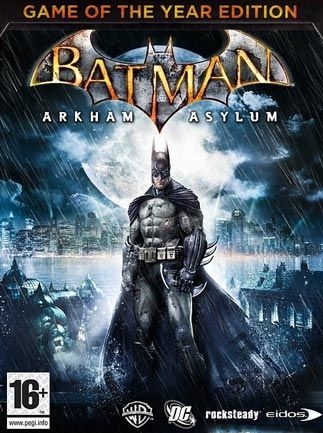
배트맨: 아캄 어사일럼 (Batman: Arkham Asylum - Game of the Year Edition)
Microsoft Windows · RedMagic 9 Pro · GameNative · 성능 등급 완벽
emulog 설정 해석
| 구성 | RedMagic 9 Pro + GameNative |
|---|---|
| 에뮬레이터 빌드 | 0.9.0 |
| 그래픽 드라이버 | [Mr. Purple Turnip] turnip_mrpurple_T26-toasted.adpkg |
| 기재된 설정 항목 | 26개 (기본값과 다르게 바꾼 항목 9개) |
| 성능 등급 | 완벽 |
기본값에서 조정된 항목: 에뮬레이터 버전, 오디오 드라이버, 동적 드라이버 버전, 그래픽 드라이버, DX 래퍼, DXVK 버전.
등급 판단 근거
이 게임에 등급이 기재된 보고 28건 가운데 이 조합보다 높은 등급은 0건(0%), 같은 등급은 11건입니다. 동일 에뮬레이터(GameNative)로 다른 기기에서 올라온 보고는 11건입니다. 작성자 코멘트 원문은 439자입니다.
같은 에뮬레이터의 다른 기기 결과
- AYANEO KONKR Pocket FIT (G3 Gen 3) — 완벽
- AYN Thor Max — 완벽
- AYN Thor Pro — 완벽
- AYN Thor Pro — 완벽
- Retroid Pocket G2 — 완벽
세팅값
| 항목 | 설정값 |
|---|---|
| 컨테이너 변형 | bionic |
| 에뮬레이터 버전 | 0.9.0 |
| Wine 버전 | proton-9.0-arm64ec |
| 해상도 (화면 크기) | 1280x720 (16:9) |
| 오디오 드라이버 | pulse |
| Steam 유형 | normal |
| 동적 드라이버 버전 | [Mr. Purple Turnip] turnip_mrpurple_T26-toasted.adpkg (배포 파일: turnip_mrpurple_T26-toasted.adpkg.zip) |
| 그래픽 드라이버 | Turnip (Adreno) |
| DX 래퍼 | VKD3D |
| DXVK 버전 | other |
| DX Wrapper 설정 (버전, 프레임 속도, 최대 메모리) | VKD3D Version 2.14.1 |
| 최대 장치 메모리 | 0 |
| Adrenotools Turnip 사용 | 켜짐 |
| 시작 선택 | Aggressive (Stop services on startup) |
| 32비트 에뮬레이터 | fex |
| 64비트 에뮬레이터 | fex |
| Box64 버전 | 0.3.6 |
| Box64 프리셋 | compatibility |
| FEXCore 버전 | 2603 |
| FEXCore 프리셋 | intermediate |
| DirectInput 매퍼 유형 | standard |
| DirectInput API 활성화 | 켜짐 |
| XInput API 활성화 | 켜짐 |
| Steam Input 사용 | 꺼짐 |
| 환경 변수 | { "id": "STEAM_35140", "name": "", "screenSize": "1280x720", "envVars": "WRAPPER_MAX_IMAGE_COUNT=0 ZINK_DESCRIPTORS=lazy ZINK_DEBUG=compact MESA_SHADER_CACHE_DISABLE=false MESA_SHADER_CACHE_MAX_SIZE=512MB mesa_glthread=true WINEESYNC=1 MESA_VK_WSI_PRESENT_MODE=mailbox TU_DEBUG=noconform DXVK_FRAME_RATE=60 PULSE_LATENCY_MSEC=144", "cpuList": "0,1,2,3,4,5,6,7", "cpuListWoW64": "4,5,6,7", "graphicsDriver": "Wrapper", "graphicsDriverVersion": "", "graphicsDriverConfig": "vulkanVersion=1.3,version=Turnip Adreno Driver T26 (@Mr_Purple_666),blacklistedExtensions=,maxDeviceMemory=0,presentMode=mailbox,syncFrame=0,disablePresentWait=0,resourceType=auto,bcnEmulation=auto,bcnEmulationType=compute,bcnEmulationCache=0,gpuName=Device", "dxwrapper": "vkd3d", "dxwrapperConfig": "version=2.4.1,framerate=0,maxDeviceMemory=0,async=0,asyncCache=0,vkd3dVersion=2.14.1,vkd3dLevel=12_1,ddrawrapper=none,csmt=3,gpuName=NVIDIA GeForce GTX 480,videoMemorySize=2048,strict_shader_math=1,OffscreenRenderingMode=fbo,renderer=gl,vkd3dFeatureLevel=12_1", "audioDriver": "pulseaudio", "wincomponents": "direct3d=1,directsound=1,directmusic=0,directshow=0,directplay=0,vcrun2010=1,wmdecoder=1,opengl=0", "drives": "D:\/storage\/emulated\/0\/DownloadE:\/data\/data\/app.gamenative\/storageA:\/data\/user\/0\/app.gamenative\/Steam\/steamapps\/common\/Batman Arkham Asylum GOTY", "showFPS": false, "launchRealSteam": false, "allowSteamUpdates": false, "inputType": 3, "dinputMapperType": 1, "wow64Mode": true, "startupSelection": 1, "box86Version": "0.3.2", "box64Version": "0.3.6", "box86Preset": "COMPATIBILITY", "box64Preset": "COMPATIBILITY", "fexcorePreset": "INTERMEDIATE", "desktopTheme": "LIGHT,IMAGE,#0277bd", "extraData": { "useSteamInput": false, "sharpnessEffect": "None", "sharpnessLevel": "100", "sharpnessDenoise": "100", "config_changed": "false", "appVersion": "14", "imgVersion": "27", "dxwrapper": "vkd3d-2.14.1", "wincomponents": "direct3d=1,directsound=1,directmusic=0,directshow=0,directplay=0,vcrun2010=1,wmdecoder=1,opengl=0", "openal_dlls": "no", "startupSelection": "1", "lastInstalledMainWrapper": "Wrapper", "audioDriver": "pulseaudio", "box64Version": "0.3.6", "discord_support_prompt_shown": "true", "fexcoreVersion": "2603", "desktopTheme": "LIGHT,IMAGE,#0277bd,1280x720" }, "sessionMetadata": { "avg_fps": 0, "session_length_sec": 1094 }, "rcfileId": 0, "midiSoundFont": "", "lc_all": "en_US.utf8", "primaryController": 1, "controllerMapping": "", "execArgs": "", "executablePath": "Binaries\/ShippingPC-BmGame.exe", "needsUnpacking": false, "sdlControllerAPI": true, "disableMouseInput": false, "touchscreenMode": false, "shooterMode": true, "externalDisplayMode": "off", "externalDisplaySwap": false, "useDRI3": true, "installPath": "", "steamType": "normal", "language": "english", "containerVariant": "bionic", "emulator": "FEXCore", "fexcoreVersion": "2603", "forceDlc": false, "localSavesOnly": false, "steamOfflineMode": false, "useLegacyDRM": true, "unpackFiles": false, "suspendPolicy": "manual", "portraitMode": false, "wineVersion": "proton-9.0-arm64ec" } |
| 평균 FPS | 40-50 |
작성자 코멘트(인용)
아래 코멘트는 EmuReady 사용자가 작성한 원문이며, emulog 은 한국어 번역과 위 해석만 추가했습니다.
🎮 인터랙티브 버전으로 열기Epic 버전은 바로 잘 실행되지만 오디오에 지연이 있음. Steam 버전은 FPS가 절반이지만 오디오 문제 없음. Epic 설정 일부와 Steam 버전을 결합해 매우 높은 설정에서 50fps 유지. 모든 설정을 나열했으며, config JSON 파일을 환경 변수 섹션에 붙여넣어 .json 파일로 저장하고 gamenative 게임 컨테이너 설정에 가져오면 됨.
Epic version runs great out of the box, only audio delay. Steam version runs half the FPS but with no audio issues. I've combined the steam version with some of the epic settings, running 50fps on very high settings. Listed all the settings, also will paste the json file of the config into the environment variables section, just copy paste all that into a txt file and name it .json, import config in gamenative game container settings