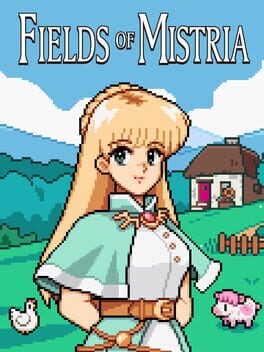
필즈 오브 미스트리아 (Fields of Mistria)
Microsoft Windows · AYN Thor Max · GameNative · 성능 등급 완벽
emulog 설정 해석
| 구성 | AYN Thor Max + GameNative |
|---|---|
| 에뮬레이터 빌드 | 0.6.1 |
| 기재된 설정 항목 | 10개 (기본값과 다르게 바꾼 항목 7개) |
| 성능 등급 | 완벽 |
기본값에서 조정된 항목: 에뮬레이터 버전, 해상도 (화면 크기), 오디오 드라이버, 그래픽 드라이버, DXVK 버전, Box64 프리셋.
등급 판단 근거
이 게임에 등급이 기재된 보고 12건 가운데 이 조합보다 높은 등급은 0건(0%), 같은 등급은 8건입니다. 동일 에뮬레이터(GameNative)로 다른 기기에서 올라온 보고는 8건입니다. 작성자 코멘트 원문은 1,658자입니다.
같은 에뮬레이터의 다른 기기 결과
- AYANEO KONKR Pocket FIT (G3 Gen 3) — 완벽
- AYN Thor Max — 완벽
- Retroid Pocket 6 — 완벽
- Retroid Pocket 6 — 완벽
- AYN Odin 2 Portal — 완벽
세팅값
| 항목 | 설정값 |
|---|---|
| 에뮬레이터 버전 | 0.6.1 |
| 해상도 (화면 크기) | 1920x1080 |
| 오디오 드라이버 | PulseAudio |
| 그래픽 드라이버 | Turnip (Adreno) |
| DX 래퍼 | DXVK |
| DXVK 버전 | async-1.10.3 |
| 시작 선택 | Aggressive (Stop services on startup) |
| Box64 버전 | 0.3.6 |
| Box64 프리셋 | Intermediate |
| 평균 FPS | 60 |
작성자 코멘트(인용)
아래 코멘트는 EmuReady 사용자가 작성한 원문이며, emulog 은 한국어 번역과 위 해석만 추가했습니다.
설정 후 완벽히 부드럽게 실행됩니다. bionic 컨테이너와 Wine Version Proton-10.0.arm64ec-2 사용(EmuReady는 해당 설정을 표시하지 않음). 그래픽 드라이버 "Wrapper"에 turnip25.3.0_R3_Auto 사용. 게임 내부에서 설정 > 디스플레이 > 창 모드로 전환 후 다시 무테 모드로 전환하면 전체 화면을 정상적으로 차지합니다. MOD와 호환됩니다! PC가 필요하고 설치 파일을 이동할 수 있어야 합니다. PC에서 [Mods of Mistria Installer](https://www.nexusmods.com/fieldsofmistria/mods/78)로 원하는 모든 모드를 설치하세요. - 설치 전체를 zip으로 압축해 기기로 옮기고, 기기의 기본 다운로드 폴더에 두고 압축을 각각 폴더에 풀어 주세요. Android에서는 zarchiver를 사용합니다. - GameNative 안에서 ⋮ 메뉴 → Enter Container, `D:\` 로 이동해 압축 해제한 Fields of Mistria 폴더를 열고, 컨테이너 편집 > 전체 선택 후 `A:\` 드라이브에 복사합니다. - "YYTK"(또는 "Aurie") 모드를 쓰는 경우 추가 단계가 필요합니다. FoM 폴더 안에서 `AuriePatcher.exe` 실행, `FieldsOfMistria.exe` 선택 후 `Mods > native > AurieCore.dll`을 선택해 새 경로에 패치합니다. 이제 모든 모드가 Android에서 작동합니다. 게임이 아직 알파 단계라 언제든지 충돌할 수 있으니 [Save Anywhere](https://www.nexusmods.com/fieldsofmistria/mods/346)를 권장합니다. 모드 페이지 안내에 따라 기기에서 사용할 수 있는 활성화 버튼으로 설정하세요. 즐기세요!
Runs perfectly smooth once set up. Uses bionic container and Wine Version Proton-10.0.arm64ec-2 (EmuReady is not set up to show those preferences). Graphics driver "Wrapper," using turnip25.3.0_R3_Auto. As a quirk of the game itself, once inside the game, you may need to adjust settings > display > toggle to windowed and then back to borderless to properly take up the entire screen. COMPATIBLE WITH MODS! This requires a PC and the ability to move the install, however. Use [Mods of Mistria Installer](https://www.nexusmods.com/fieldsofmistria/mods/78) on PC to install any and all mods you may wish to add. - From there, zip up the entire install and move it to your device. Make sure it is in the native downloads folder of your device and unzip everything into its own folder. I like to use zarchiver for zips on Android. - Inside GameNative, use the ⋮ menu to Enter Container. Go to `D:\`, go inside of the Fields of Mistria folder you just unzipped, use the container's edit > select all option, then copy everything to the container's `A:\` drive. - If you are using "YYTK" (or "Aurie") mods, you must follow this additional step. From inside the FoM folder, run `AuriePatcher.exe`. Select `FieldsOfMistria.exe`, then select `Mods > native > AurieCore.dll` to patch them to your new file path. Ta-daa, all mods should run on your Android device. I recommend [Save Anywhere](https://www.nexusmods.com/fieldsofmistria/mods/346) as the game itself is still in alpha and will sometimes crash on *any* platform (including PC). Make sure to adjust the activation button to something you can use on your device per the mod page's instructions. Enjoy!