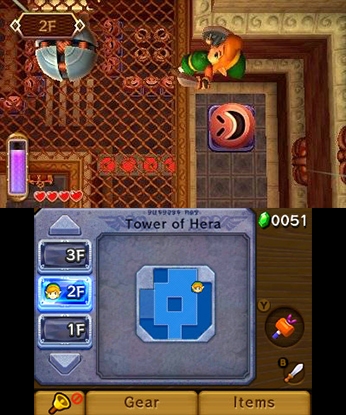
젤다의 전설: 세계의 연결 (The Legend of Zelda: A Link Between Worlds)
Nintendo 3DS · MANGMI Air X · Azahar · 성능 등급 훌륭함
기기 스펙
| SoC | Qualcomm Snapdragon 662 |
|---|---|
| CPU | Cortex-A73 / Cortex-A53 4x / 4x |
| GPU | Qualcomm Adreno 610 |
| RAM | 4 GB LPDDR4X |
| 화면 | 5.5 inch |
| 해상도 | 1920 x 1080 |
| 성능 티어 | 1 |
emulog 설정 해석
| 구성 | MANGMI Air X + Azahar |
|---|---|
| 에뮬레이터 빌드 | 2124-vanilla |
| 그래픽 드라이버 | Default System Driver |
| 기재된 설정 항목 | 18개 (기본값과 다르게 바꾼 항목 7개) |
| 성능 등급 | 훌륭함 |
기본값에서 조정된 항목: 평균 FPS, 게임 렌더 스레드 지연, 에뮬레이터 버전, 비동기 셰이더 컴파일 활성화, V-Sync 활성화, 그래픽 API.
등급 판단 근거
이 게임에 등급이 기재된 보고 8건 가운데 이 조합보다 높은 등급은 5건(62%), 같은 등급은 2건입니다. 동일 에뮬레이터(Azahar)로 다른 기기에서 올라온 보고는 7건입니다. 작성자 코멘트 원문은 942자입니다.
같은 에뮬레이터의 다른 기기 결과
- AYN Thor Max — 완벽
- Retroid Pocket 5 — 완벽
- Xiaomi Poco X6 — 완벽
- Samsung Galaxy A52s 5G — 완벽
- AYANEO Pocket DS — 완벽
세팅값
| 항목 | 설정값 |
|---|---|
| 정확한 곱셈 | 꺼짐 |
| 평균 FPS | 60 |
| CPU JIT | 켜짐 |
| 게임 렌더 스레드 지연 | 0 |
| LLE 모듈 시작 지연 | 켜짐 |
| SPIR-V 옵티마이저 비활성화 | 켜짐 |
| 디스크 셰이더 캐시 | 켜짐 |
| 에뮬레이터 버전 | 2124-vanilla |
| 비동기 셰이더 컴파일 활성화 | 켜짐 |
| 하드웨어 셰이더 활성화 | 켜짐 |
| SPIR-V 셰이더 생성 활성화 | 켜짐 |
| V-Sync 활성화 | 꺼짐 |
| 그래픽 API | Vulkan |
| 그래픽 드라이버 | Default System Driver |
| 내부 해상도 | native |
| 선형 필터링 | 켜짐 |
| 입체 3D 모드 | Off |
| 텍스처 필터 | None |
작성자 코멘트(인용)
아래 코멘트는 EmuReady 사용자가 작성한 원문이며, emulog 은 한국어 번역과 위 해석만 추가했습니다.
🎮 인터랙티브 버전으로 열기셰이더 컴파일으로 인한 끊김과 텍스처 팝이 많으며 설정으로 해결 불가. 큰 셰이더 로드 시 짧게 멈출 수 있음. 그 외에는 60fps 유지. 오버월드에서 카메라가 이동할 때 50~55fps의 작은 프레임 드롭이 있음. AzaharPlus에서도 비슷한 성능. 2배 플레이엔 GPU가 부족함. **옵션 수정** - 셰이더 컴파일 팝업이 신경 쓰이면 Async 셰이더 컴파일을 끄세요. 대신 끊김과 긴 멈춤이 늘어납니다. 켜두는 것을 권장합니다. - 오디오 끊김이 신경 쓰이면 Realtime audio를 켜세요. 약간의 오디오 비동기화가 발생하고, 큰 셰이더 로드 시 여전히 멈춤이 있어 완벽한 해결은 아닙니다.
Lots of stutter and some texture pop in due to shader compilation which no setting could fix. At worst the game can freeze for a short while when loading large shaders. Game does otherwise run at a constant 60 fps. Only other issue is small framedrops, either 50 or 55 fps, when the camera pans between location during traversal into new areas in the overworld. Can also be played in AzaharPlus with basically the same performance. Gpu is not powerful enough for 2x gameplay. **Optional fixes** If the pop in during shader compilation bothers you then turn off Async shader compilation. You will however experiance more stuttering and longer freezes when compiling shaders. I recommend leaving it on. Additionally if the audio stutters bother you then turn on Realtime audio. This will slightly desync your audio and it also isn't a perfect fix as the game still freezes sometimes when loading large shaders, which still stops the audio.