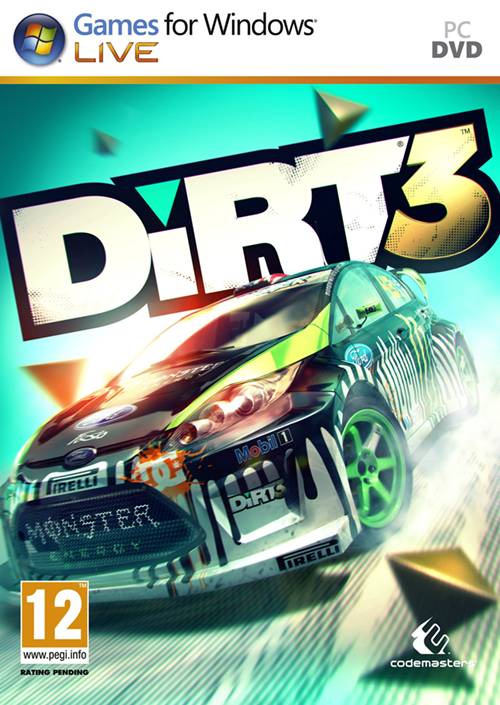
더트 3 (DiRT 3)
Microsoft Windows · AYN Odin 2 Portal Pro · GameNative · 성능 등급 완벽
emulog 설정 해석
| 구성 | AYN Odin 2 Portal Pro + GameNative |
|---|---|
| 에뮬레이터 빌드 | 0.9.0 |
| 그래픽 드라이버 | [Mr. Purple Turnip] turnip_mrpurple_T26-toasted.adpkg |
| 기재된 설정 항목 | 27개 (기본값과 다르게 바꾼 항목 11개) |
| 성능 등급 | 완벽 |
기본값에서 조정된 항목: 에뮬레이터 버전, Wine 버전, 해상도 (화면 크기), 오디오 드라이버, 동적 드라이버 버전, 그래픽 드라이버.
등급 판단 근거
이 게임에 등급이 기재된 보고 18건 가운데 이 조합보다 높은 등급은 0건(0%), 같은 등급은 11건입니다. 동일 에뮬레이터(GameNative)로 다른 기기에서 올라온 보고는 6건입니다. 작성자 코멘트 원문은 1,204자입니다.
같은 에뮬레이터의 다른 기기 결과
- RedMagic 11 Pro — 완벽
- Xiaomi Poco F5 — 완벽
- AYN Odin 3 Max — 완벽
- AYN Thor Max — 완벽
- AYANEO KONKR Pocket FIT (G3 Gen 3) — 훌륭함
세팅값
| 항목 | 설정값 |
|---|---|
| 컨테이너 변형 | bionic |
| 에뮬레이터 버전 | 0.9.0 |
| Wine 버전 | proton-10.0-arm64ec |
| 해상도 (화면 크기) | 1920x1080 (16:9) |
| 오디오 드라이버 | pulse |
| Steam 유형 | normal |
| 동적 드라이버 버전 | [Mr. Purple Turnip] turnip_mrpurple_T26-toasted.adpkg (배포 파일: turnip_mrpurple_T26-toasted.adpkg.zip) |
| 그래픽 드라이버 | Turnip (Adreno) |
| DX 래퍼 | DXVK |
| DXVK 버전 | 2.4.1-gplasync |
| DX Wrapper 설정 (버전, 프레임 속도, 최대 메모리) | wrapper-v2 |
| 최대 장치 메모리 | 0 |
| Adrenotools Turnip 사용 | 켜짐 |
| 시작 선택 | Aggressive (Stop services on startup) |
| 32비트 에뮬레이터 | fex |
| 64비트 에뮬레이터 | fex |
| Box64 버전 | 0.3.6 |
| Box64 프리셋 | compatibility |
| FEXCore 버전 | 2603 |
| FEXCore 프리셋 | intermediate |
| DirectInput 매퍼 유형 | standard |
| DirectInput API 활성화 | 켜짐 |
| XInput API 활성화 | 켜짐 |
| Steam Input 사용 | 꺼짐 |
| 환경 변수 | DXVK_FRAME_RATE=60 (to lock the fps to 60) |
| 게임 버전 | From Reddit abandonware |
| 평균 FPS | 82 (in benchmark) |
작성자 코멘트(인용)
아래 코멘트는 EmuReady 사용자가 작성한 원문이며, emulog 은 한국어 번역과 위 해석만 추가했습니다.
우선 게임 네이티브 컨테이너에 추가 패키지를 설치해야 함: - Microsoft Visual C++ 2010 Runtime Libraries - OpenAL 두 파일은 게임 메인 폴더 "_CommonRedist"에 있을 가능성이 높음. 직접 넣은 경우라면 온라인 검색 필요. 선택적으로 physx를 설치할 수 있으며, 공식 NVIDIA 사이트에서 다운로드 후 게임 메인 폴더에만 넣어야 함. DXVK 2.4.1-1-gplasync-0 사용 (2.7.1-1-gplasync-0 대비 벤치마크 약 8fps 향상) 및 wrapper-v2 사용 (이 게임에서는 차이 없음). T27 드라이버 사용 시 그래픽 결함 발생. 게임 설정: Resolution: 1920x1080 Preset: High Multisampling, vsync: Off 주요 감사는 The412Banner에게, 그의 노력 덕분에 작동함. 나는 Odin 2 Portal Pro(12GB RAM)와 GameNative에 맞게 설정을 조정했으며, GameHub 대신 사용함. 내 의견으로는 GameNative가 GameHub보다 훨씬 부드럽게 실행됨.
First and foremost the game requires additional packages to be installed in the Game Native container: - Microsoft Visual C++ 2010 Runtime Libraries - OpenAL Both of them could be found in the game's main folder "_CommonRedist", if I'm not mistaken. If I am mistaken and have put them there by myself and forgot about it ;D, then look it up online. Optionally you could install physx - it's available to download from official nvidia website. Remember only to put the installation file into the main game folder, somehow I wasn't able to install it from different location. I'm using DXVK version 2.4.1-1-gplasync-0 (gives visibly better performance than 2.7.1-1-gplasync-0 variant - about 8fps in benchmark) and wrapper-v2 (but for this game wrapper doesn't matter from my testing). Also T27 drivers (newest at the time of writing) gave me some graphical glitches. In game settings: Resolution: 1920x1080 Preset: High Multisampling, vsync: Off Main thanks should go to The412Banner as it was his effort to make it work, I just adjusted settings to Odin 2 Portal Pro (12GB RAM version) and to Game Native, instead of GameHub. In my opinion the game runs a lot smoother in GameNative than in GameHub.