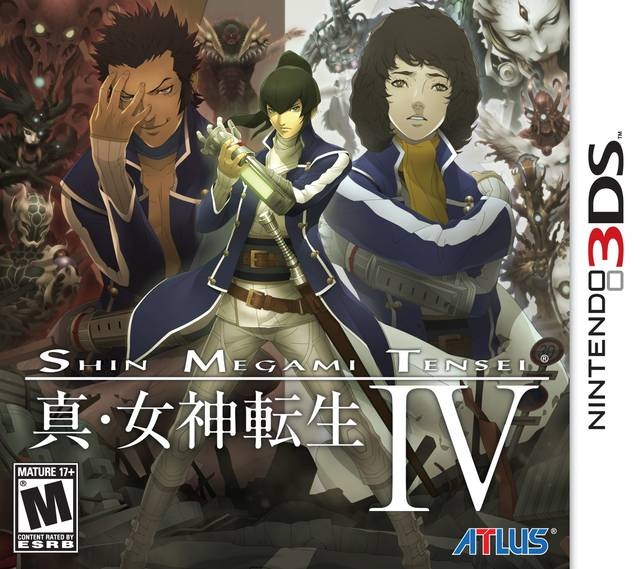
진 여신전생 IV (Shin Megami Tensei IV)
Nintendo 3DS · Samsung Galaxy A12 Nacho · Azahar · 성능 등급 훌륭함
emulog 설정 해석
| 구성 | Samsung Galaxy A12 Nacho + Azahar |
|---|---|
| 에뮬레이터 빌드 | 2123.3 |
| 그래픽 드라이버 | Default System Driver |
| 기재된 설정 항목 | 19개 (기본값과 다르게 바꾼 항목 8개) |
| 성능 등급 | 훌륭함 |
기본값에서 조정된 항목: 평균 FPS, 게임 렌더 스레드 지연, 에뮬레이터 버전, 비동기 셰이더 컴파일 활성화, V-Sync 활성화, 게임 버전.
등급 판단 근거
이 게임에 등급이 기재된 보고 3건 가운데 이 조합보다 높은 등급은 1건(33%), 같은 등급은 1건입니다. 동일 에뮬레이터(Azahar)로 다른 기기에서 올라온 보고는 1건입니다. 작성자 코멘트 원문은 1,387자입니다.
같은 에뮬레이터의 다른 기기 결과
- MANGMI Air X — 훌륭함
세팅값
| 항목 | 설정값 |
|---|---|
| 정확한 곱셈 | 꺼짐 |
| 평균 FPS | 30 |
| CPU JIT | 켜짐 |
| 게임 렌더 스레드 지연 | 0 |
| LLE 모듈 시작 지연 | 켜짐 |
| SPIR-V 옵티마이저 비활성화 | 켜짐 |
| 디스크 셰이더 캐시 | 켜짐 |
| 에뮬레이터 버전 | 2123.3 |
| 비동기 셰이더 컴파일 활성화 | 켜짐 |
| 하드웨어 셰이더 활성화 | 켜짐 |
| SPIR-V 셰이더 생성 활성화 | 켜짐 |
| V-Sync 활성화 | 꺼짐 |
| 게임 버전 | USA |
| 그래픽 API | Vulkan |
| 그래픽 드라이버 | Default System Driver |
| 내부 해상도 | native |
| 선형 필터링 | 켜짐 |
| 입체 3D 모드 | Off |
| 텍스처 필터 | None |
작성자 코멘트(인용)
아래 코멘트는 EmuReady 사용자가 작성한 원문이며, emulog 은 한국어 번역과 위 해석만 추가했습니다.
🎮 인터랙티브 버전으로 열기Samsung A04s를 사용하지만 A12 Nacho와 같은 Exynos 850 칩셋과 4GB RAM이라 큰 차이는 없을 것임. 게임은 전반적으로 매우 원활하게 실행되며 전투와 오버월드 모두 부드러움. 다만 몇 가지 문제 존재: - 새로운 지역 로드나 전투 중 사망 효과(불, 물리 공격 등) 시 끊김 발생. 비동기 셰이더 컴파일을 활성화하면 끊김이 크게 감소하지만 몇 초간 시각적 렌더링 문제가 발생. - 프리렌더 컷신이 심하게 지연, 설정에서 해결책을 찾지 못함. - FPS가 20대 중반 이하로 떨어지기도 하지만, 실시간 오디오 설정이 켜져 있고 저사양 폰에 익숙해져 있어 크게 느끼지 않음. 사용한 주요 설정(아래에 언급되지 않음): - New 3DS 모드 OFF → 약간의 성능 향상 - 오른쪽 눈 렌더링 비활성화 ON → 차이는 크지 않지만 성능 향상 기대 - 오디오 스트레칭 OFF → 약간의 성능 향상 - 실시간 오디오 ON → 턴제 게임이라 작은 지연은 문제되지 않지만, 오디오 끊김이 경험을 크게 해치므로 이 설정으로 오디오가 항상 전체 속도로 재생됨.
I'm using a Samsung A04s instead of the A12 Nacho, but since they have the same chipset (Exynos 850) and RAM (4GBs) it shouldn't make much difference. The game generally runs very well; gameplay is quite smooth, in both battles and while in the overworld, but there are some issues: - The game stutters, usually when loading a new area or death effect in battle (The little effects when you kill an enemy with fire, physical attacks, etc). Enabling async shader compilation helps a lot with the stutters but causes visual rendering problems that usually last a couple of seconds. - Pre-rendered cutscenes lag terribly, I haven't found anything in the settings that can help with this. - The game sometimes drops to mid twenties or lower in FPS, but with the realtime audio setting enabled and since I'm used to low fps because of my low end phone, I don't notice it that much. Here is a small overview of impactful settings that I used that aren't mentioned below: - New 3ds mode is off, gives a small boost - Disable right eye render is on, I haven't noticed that much difference but supposedly it gives better performance - Audio stretching is off, gives a small boost - Realtime audio is on. Since this is a turn based game minor slowdowns shouldn't matter at all but audio stutters really drag down the experience, with this setting enabled audio stays at full speed at all times