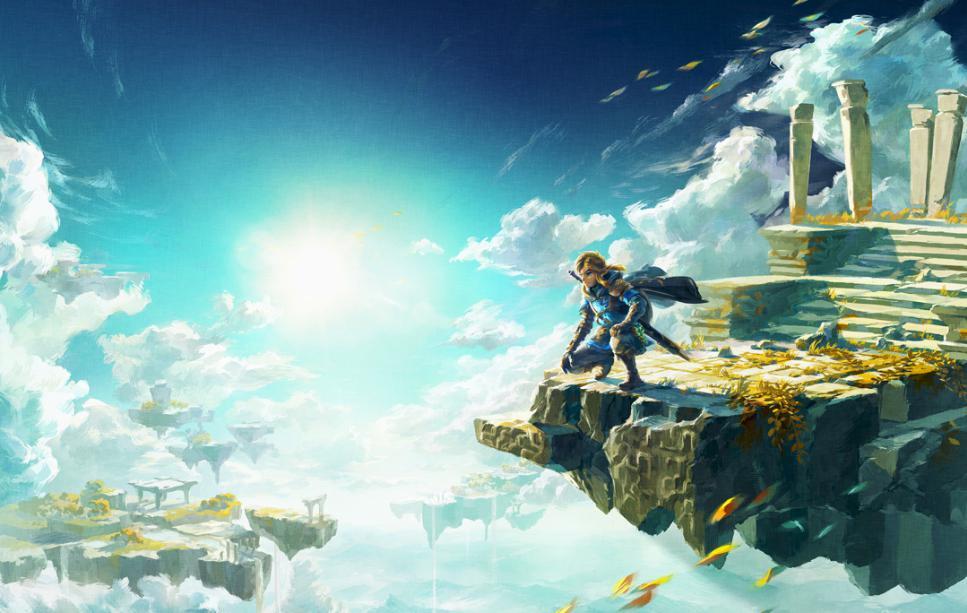
젤다의 전설: 왕국의 눈물 (The Legend of Zelda: Tears of the Kingdom)
Nintendo Switch · AYN Thor Pro · Eden · 성능 등급 완벽
emulog 설정 해석
| 구성 | AYN Thor Pro + Eden |
|---|---|
| 에뮬레이터 빌드 | PR build #4324 commit c3bdfd14c5 |
| 그래픽 드라이버 | Default System Driver |
| 기재된 설정 항목 | 32개 (기본값과 다르게 바꾼 항목 15개) |
| 성능 등급 | 완벽 |
기본값에서 조정된 항목: 에뮬레이터 버전, 드라이버 버전, 해상도, 비동기 셰이더 사용, VSync 모드, 창 적응형 필터.
등급 판단 근거
이 게임에 등급이 기재된 보고 43건 가운데 이 조합보다 높은 등급은 0건(0%), 같은 등급은 2건입니다. 동일 에뮬레이터(Eden)로 다른 기기에서 올라온 보고는 32건입니다. 작성자 코멘트 원문은 2,511자입니다.
같은 에뮬레이터의 다른 기기 결과
- Motorola Moto G100 — 완벽
- AYN Odin 2 Max — 훌륭함
- AYN Thor Max — 훌륭함
- AYN Odin 2 Portal Max — 훌륭함
- Retroid Pocket 6 — 훌륭함
세팅값
| 항목 | 설정값 |
|---|---|
| 에뮬레이터 버전 | PR build #4324 commit c3bdfd14c5 |
| 드라이버 버전 | Default System Driver |
| 독 모드 | 꺼짐 |
| 속도 제한 | 켜짐 |
| 정확도 수준 | Normal |
| 해상도 | 0.75 |
| 디스크 셰이더 캐시 | 켜짐 |
| 비동기 셰이더 사용 | 켜짐 |
| 리액티브 플러싱 사용 | 꺼짐 |
| 안티앨리어싱 방식 | None |
| VSync 모드 | FIFO Relaxed |
| 비등방성 필터링 | Default |
| 창 적응형 필터 | AMD FidelityFX - Super Resolution |
| 오디오 출력 엔진 | cubeb |
| GPU API | Vulkan |
| CPU 정확도 | Unsafe |
| CPU 백엔드 | Native code execution (NCE) |
| 확장 동적 상태 (Extended Dynamic State) | 0 |
| Provoking Vertex | 꺼짐 |
| 디스크립터 인덱싱 | 꺼짐 |
| 향상된 프레임 페이싱 | 꺼짐 |
| 빠른 GPU 시간 사용 | 켜짐 |
| VRAM 사용 모드 | Conservative |
| NVDEC 에뮬레이션 | GPU |
| ASTC 재압축 방식 | Uncompressed |
| SPIRV 출력 최적화 | On Load |
| 빠른 CPU 시간 | 꺼짐 |
| LRU 캐시 활성화 | 꺼짐 |
| 코어 속도 동기화 | 켜짐 |
| 게임 버전 | 1.4.3 |
| 평균 FPS | 30 |
| YouTube | https://youtu.be/4yOp9aTOBZI |
작성자 코멘트(인용)
아래 코멘트는 EmuReady 사용자가 작성한 원문이며, emulog 은 한국어 번역과 위 해석만 추가했습니다.
AYN Thor에서 The Legend of Zelda: Tears of the Kingdom의 검은 사각형이 마침내 해결되었습니다! 특정 Eden Emulator 빌드, 설정, 드라이버를 조합하면 누구나 게임의 성가신 검은 사각형을 없앨 수 있습니다. 추가로 프레임레이트도 거의 안정적으로 30fps에 고정됩니다. 다음은 필요한 절차입니다. AYN Thor Pro 256+12에서 테스트했습니다. --------------- 에뮬레이터: Eden Emulator PR build #4324 commit c3bdfd14c5 Download (git): [https://git.eden-emu.dev/eden-ci/pr/releases?q=4324](https://git.eden-emu.dev/eden-ci/pr/releases?q=4324) Download (mirror): [https://drive.google.com/file/d/1diU-gWSZ_rbSYj7KAP9wmDOu3QmcTuMK](https://drive.google.com/file/d/1diU-gWSZ_rbSYj7KAP9wmDOu3QmcTuMK) --------------- 드라이버: Baleumi Apex v2 ULTIMATE SD8gen2 Download (git): [https://github.com/Balemuni/Balemunis-Aurora/releases/tag/V2](https://github.com/Balemuni/Balemunis-Aurora/releases/tag/V2) Download (mirror): [https://drive.google.com/file/d/1iHgnbzo-BeBJZqzOUfmWooPpVJbnmyRo](https://drive.google.com/file/d/1iHgnbzo-BeBJZqzOUfmWooPpVJbnmyRo) --------------- 게임 버전: 1.4.3 --------------- 모드: 없음 --------------- 펌웨어/키: 22.1.0 --------------- Eden 게임 설정: System Limit speed: ON Limit speed percent: 101% Docked Mode: OFF CPU Clocks: Normal GPU Clocks: Boost Synchronize Core Speed: ON Memory Layout: 4GB Custom CPU Ticks: ON Ticks: 16000 ----- Graphics 해상도: 0.75X VSync Mode: FIFO Relaxed 창 적응 필터: AMD FidelityFX Super Resolution FSR/SGSR 선명도: 40% 안티에일리어싱 방식: None GPU 모드: Fast DMA 정확도: Default GPU Fence 동작: Immediate 연산 필터링: Default VRAM 사용 모드: Conservative ASTC 디코딩 방식: CPU Async NVDEC 에뮬레이션: GPU Sync Memory Operations: OFF 디스크 셰이더 캐시: ON 최대 클럭 강제: OFF 반응형 플러싱 사용: OFF 버퍼 히스토리 활성화: ON GPU 버퍼 읽기 활성화: ON 최적화된 버텍스 버퍼: OFF CPU 내부 무효화 건너뛰기: OFF 블룸 효과 수정: OFF Emulate BGR565: ON 비동기 셰이더 사용: ON 파이프라인 워커 스레드: 8cores GPU 비동기 에뮬레이션: ON 비동기 프레젠테이션: ON GPU Unswizzle 설정: ON (Large - Medium - Medium) Extended Dynamic State: Disabled Vertex Input Dynamic State: OFF 샘플 셰이딩: 0% 화면 비율: 16:9 ----- Audio 출력 엔진: cubeb 음량: 100% ----- Debug API: Vulkan Disable Buffer Reorder: OFF CPU: NCE CPU 정확도: Unsafe Fastmem: ON Host MMU 에뮬레이션 활성화: ON --------------- 부디 도움이 되셨으면 좋겠습니다!
The Legend of Zelda: Tears of the Kingdom is now finally free of black squares on AYN Thor! With a combination of specific Eden Emulator build, settings and drivers everyone now can get rid of the annoying black squares on the game. Additionally the framerate is almost stable and locked at 30fps. Here is what you need to do it. Tested on AYN Thor Pro 256+12. --------------- Emulator: Eden Emulator PR build #4324 commit c3bdfd14c5 Download (git): [https://git.eden-emu.dev/eden-ci/pr/releases?q=4324](https://git.eden-emu.dev/eden-ci/pr/releases?q=4324) Download (mirror): [https://drive.google.com/file/d/1diU-gWSZ_rbSYj7KAP9wmDOu3QmcTuMK](https://drive.google.com/file/d/1diU-gWSZ_rbSYj7KAP9wmDOu3QmcTuMK) --------------- Driver: Baleumi Apex v2 ULTIMATE SD8gen2 Download (git): [https://github.com/Balemuni/Balemunis-Aurora/releases/tag/V2](https://github.com/Balemuni/Balemunis-Aurora/releases/tag/V2) Download (mirror): [https://drive.google.com/file/d/1iHgnbzo-BeBJZqzOUfmWooPpVJbnmyRo](https://drive.google.com/file/d/1iHgnbzo-BeBJZqzOUfmWooPpVJbnmyRo) --------------- Game version: 1.4.3 --------------- Mods: NONE --------------- Firmware/keys: 22.1.0 --------------- Eden game settings: System Limit speed: ON Limit speed percent: 101% Docked Mode: OFF CPU Clocks: Normal GPU Clocks: Boost Synchronize Core Speed: ON Memory Layout: 4GB Custom CPU Ticks: ON Ticks: 16000 ----- Graphics Resolution: 0.75X VSync Mode: FIFO Relaxed Window adapting filter: AMD FidelityFX Super Resolution FSR/SGSR sharpness: 40% Anti-aliasing method: None GPU Mode: Fast DMA Accuracy: Default GPU Fence Behavior: Immediate Anisotropic filtering: Default VRAM Usage Mode: Conservative ASTC Decoding Method: CPU Async NVDEC Emulation: GPU Sync Memory Operations: OFF Disk shader cache: ON Force maximum clocks: OFF Use reactive flushing: OFF Enable buffer history: ON Enable GPU Buffer Readback: ON Optimized Vertex Buffers: OFF Skip CPU Inner Invalidation: OFF Fix Bloom Effects: OFF Emulate BGR565: ON Use asynchronous shaders: ON Pipeline Worker Threads: 8cores GPU async emulation: ON Asynchronous presentation: ON GPU Unswizzle Settings: ON (Large - Medium - Medium) Extended Dynamic State: Disabled Vertex Input Dynamic State: OFF Sample Shading: 0% Aspect ratio: 16:9 ----- Audio Output engine: cubeb Volume: 100% ----- Debug API: Vulkan Disable Buffer Reorder: OFF CPU: NCE CPU accuracy: Unsafe Fastmem: ON Enable Host MMU Emulation: ON --------------- I really hope it helps someone!