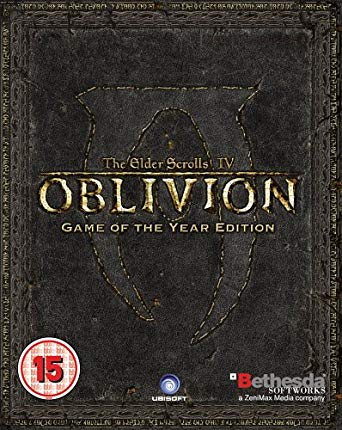
엘더스크롤 IV: 오블리비언 (The Elder Scrolls IV: Oblivion - Game of the Year Edition)
Microsoft Windows · Retroid Pocket Mini V2 · GameHub · 성능 등급 완벽
기기 스펙
| SoC | Qualcomm Snapdragon 865 |
|---|---|
| CPU | Cortex-A77 / Cortex-A55 4x / 4x |
| GPU | Qualcomm Adreno 650 |
| RAM | 6 GB LPDDR4x (2133 MHz) |
| 화면 | 3.92 inch |
| 해상도 | 1240 x 1080 |
| 성능 티어 | 4 |
emulog 설정 해석
| 구성 | Retroid Pocket Mini V2 + GameHub |
|---|---|
| 에뮬레이터 빌드 | GameHub 4.1.1 |
| 기재된 설정 항목 | 10개 (기본값과 다르게 바꾼 항목 8개) |
| 성능 등급 | 완벽 |
기본값에서 조정된 항목: 에뮬레이터 버전, 환경 변수, 게임 해상도, 호환성 레이어, 번역 파라미터, GPU 드라이버.
등급 판단 근거
이 게임에 등급이 기재된 보고 12건 가운데 이 조합보다 높은 등급은 0건(0%), 같은 등급은 5건입니다. 동일 에뮬레이터(GameHub)로 다른 기기에서 올라온 보고는 5건입니다. 작성자 코멘트 원문은 950자입니다.
같은 에뮬레이터의 다른 기기 결과
- Xiaomi Poco F5 Pro — 완벽
- AYN Thor Max — 완벽
- Retroid Pocket Flip 2 - SD — 완벽
- Anbernic RG477M — 훌륭함
- AYN Odin 2 Portal — 훌륭함
세팅값
| 항목 | 설정값 |
|---|---|
| 에뮬레이터 버전 | GameHub 4.1.1 |
| 환경 변수 | Installed Components: • mediafoundation-lite 1.1 • goldberg 1.2 • mono 1.0.0 • base 1.0.0 • Wine 1.0.0 • vcredist2022 |
| 게임 해상도 | 1024 x 768 |
| 호환성 레이어 | 9.5-x64-1 |
| 번역 파라미터 | Intermediate |
| GPU 드라이버 | turnip_v24.3.0-R2 |
| 오디오 드라이버 | PulseAudio |
| DXVK 버전 | dxvk-2.3.1 |
| DX 래퍼 | DXVK |
| 평균 FPS | 30FPS |
작성자 코멘트(인용)
아래 코멘트는 EmuReady 사용자가 작성한 원문이며, emulog 은 한국어 번역과 위 해석만 추가했습니다.
🎮 인터랙티브 버전으로 열기이 방법이 Oblivion을 플레이하기에 최적은 아닐 수 있지만, 특히 Retroid Pocket V2 Mini의 작은 화면에서는 그렇다. 그래도 원하는 경우 전혀 문제없이 작동한다. 나는 게임을 1024x768 해상도로 실행하고 Gamehub가 화면을 V2에 맞게 늘리게 한다. 약간 늘어나지만 크게 불편하지 않다. 게임은 매우 부드럽게 실행되고, 포켓에 바로 들어가는 완전한 Oblivion 경험을 얻을 수 있다. 게임 내 텍스트도 매우 읽기 쉽다. 게임패드와 완전 호환되게 하려면 두 개의 모드가 필요하다. 작고 설치도 간단하다. NorthernUI: https://www.nexusmods.com/oblivion/mods/48577 OBSE: https://www.nexusmods.com/oblivion/mods/37952?tab=files 두 파일을 압축 해제한 뒤 OBSE를 Oblivion 게임 폴더에 넣고, NorthernUI는 Oblivion의 "Data" 폴더에 넣는다. 그런 다음 게임 설정의 "Startup File Path"를 일반 Oblivion.exe가 아니라 obse_loader.exe로 지정한다. 이렇게 하면 게임 실행 시 완전한 게임패드 지원이 된다. :)
This might not be the ideal way to play Oblivion, especially on Retroid Pocket V2 Mini's Tiny Screen. But it totally works if you want to do it. I run the game at 1024x768 resolution, then just have Gamehub stretch the screen to fill out the V2. Things are a little stretched but not that bad. The game plays very well and it's kind of cool to have the full Oblivion experience fit right in your pocket. In game text is very legible. To make Oblivion fully compatible with gamepads you need 2 mods. They are small and easy to install. NorthernUI: https://www.nexusmods.com/oblivion/mods/48577 OBSE: https://www.nexusmods.com/oblivion/mods/37952?tab=files Unzip both, put OBSE inside the Oblivion game folder, then put NorthernUI inside the "Data" folder for Oblivion. Then point the "Startup File Path" in Game Settings to obse_loader.exe instead of the normal Oblivion.exe. That's it, when you run the game it will have full gamepad support. :)