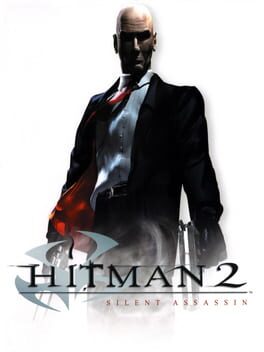
히트맨 2: 사일런트 어쌔신 (Hitman 2: Silent Assassin)
Microsoft Windows · Xiaomi Pad 7 Pro · GameNative · 성능 등급 완벽
emulog 설정 해석
| 구성 | Xiaomi Pad 7 Pro + GameNative |
|---|---|
| 에뮬레이터 빌드 | 0.8.1 |
| 그래픽 드라이버 | [GameHub Adreno 8xx] 800.51 |
| 기재된 설정 항목 | 25개 (기본값과 다르게 바꾼 항목 12개) |
| 성능 등급 | 완벽 |
기본값에서 조정된 항목: 컨테이너 변형, 에뮬레이터 버전, Wine 버전, 해상도 (화면 크기), 오디오 드라이버, 동적 드라이버 버전.
등급 판단 근거
이 게임에 등급이 기재된 보고 2건 가운데 이 조합보다 높은 등급은 0건(0%), 같은 등급은 1건입니다. 작성자 코멘트 원문은 4,574자입니다.
세팅값
| 항목 | 설정값 |
|---|---|
| 컨테이너 변형 | glibc |
| 에뮬레이터 버전 | 0.8.1 |
| Wine 버전 | proton-9.0-x86_64 |
| 해상도 (화면 크기) | 1920x1080 (16:9) |
| 오디오 드라이버 | pulse |
| Steam 유형 | normal |
| 동적 드라이버 버전 | [GameHub Adreno 8xx] 800.51 (배포 파일: adreno-driver-800.51.zip) |
| 그래픽 드라이버 | Turnip (Adreno) |
| DX 래퍼 | DXVK |
| DXVK 버전 | 2.4.1-gplasync |
| 최대 장치 메모리 | 0 |
| Adrenotools Turnip 사용 | 켜짐 |
| 시작 선택 | Aggressive (Stop services on startup) |
| 32비트 에뮬레이터 | fex |
| 64비트 에뮬레이터 | fex |
| Box64 버전 | 0.3.7 |
| Box64 프리셋 | performance |
| FEXCore 버전 | 2603 |
| FEXCore 프리셋 | intermediate |
| DirectInput 매퍼 유형 | standard |
| DirectInput API 활성화 | 켜짐 |
| XInput API 활성화 | 켜짐 |
| Steam Input 사용 | 꺼짐 |
| 게임 버전 | v1.02 |
| 평균 FPS | 60 |
작성자 코멘트(인용)
아래 코멘트는 EmuReady 사용자가 작성한 원문이며, emulog 은 한국어 번역과 위 해석만 추가했습니다.
🎮 인터랙티브 버전으로 열기**테스트 기기:** Xiaomi 8 Pro (작성 시점에 기기 목록에 표시되지 않음) 이 게임은 바로 실행되지 않습니다. 다음 문제들이 발생했습니다: 1. 'failed to find steam' 오류 2. 화면 해상도 및 와이드스크린 문제 문제 해결을 위해 'Emulator-Specific Details'에 언급된 컨테이너 설정을 적용하십시오. 요약하면 다음과 같습니다: **1-** steam.dll을 컴퓨터에서 복사해 태블릿의 다운로드 폴더에 붙여넣고, 게임 컨테이너를 연 뒤 D드라이브의 steam.dll을 게임 설치 위치에 복사합니다. **2-** Hitman2.ini 파일의 DefaultScene 값을 mainmenu.gms 로 변경해 인트로 영화를 건너뛰게 합니다. **3-** 화면 해상도 및 와이드스크린 문제 해결을 위해 https://community.pcgamingwiki.com/files/file/2787-hitman-2-silent-assassin-widescreen-fix/ 에서 제공하는 패치를 다운로드해 게임 설치 폴더에 압축을 풉니다. **4-** 와이드스크린 패치를 적용한 뒤 scripts 폴더에서 h2.ini 를 열어 LOD_Distance_Multiplier 값을 1.0, Draw_Distance 값을 1.2 로 변경합니다. 위 과정을 마치면 모든 문제가 해결됩니다. **전체 설정 파일 (import용):** ``` { "id": "STEAM_6850", "name": "", "screenSize": "1920x1080", "envVars": "WRAPPER_MAX_IMAGE_COUNT=0 ZINK_DESCRIPTORS=lazy ZINK_DEBUG=compact MESA_SHADER_CACHE_DISABLE=false MESA_SHADER_CACHE_MAX_SIZE=512MB mesa_glthread=true WINEESYNC=1 MESA_VK_WSI_PRESENT_MODE=mailbox TU_DEBUG=noconform,sysmem DXVK_FRAME_RATE=60 PULSE_LATENCY_MSEC=144", "cpuList": "0,1,2,3,4,5,6,7", "cpuListWoW64": "0,1,2,3,4,5,6,7", "graphicsDriver": "sd-8-elite", "graphicsDriverVersion": "", "graphicsDriverConfig": "vulkanVersion=1.3,version=Turnip_Gen8_V25,blacklistedExtensions=,maxDeviceMemory=0,presentMode=mailbox,syncFrame=0,disablePresentWait=0,resourceType=auto,bcnEmulation=auto,bcnEmulationType=compute,bcnEmulationCache=0,gpuName=Device,adrenotoolsDriver=vulkan.adreno.so", "dxwrapper": "dxvk", "dxwrapperConfig": "version=2.4.1-gplasync,framerate=0,maxDeviceMemory=0,async=1,asyncCache=1,vkd3dVersion=2.14.1,vkd3dLevel=12_1,ddrawrapper=none,csmt=3,gpuName=NVIDIA GeForce GTX 480,videoMemorySize=2048,strict_shader_math=1,OffscreenRenderingMode=fbo,renderer=gl", "audioDriver": "pulseaudio", "wincomponents": "direct3d=1,directsound=1,directmusic=0,directshow=0,directplay=0,vcrun2010=1,wmdecoder=1,opengl=0", "drives": "D:/storage/emulated/0/DownloadE:/data/data/app.gamenative/storageA:/data/user/0/app.gamenative/Steam/steamapps/common/Hitman 2 Silent Assassin", "showFPS": false, "launchRealSteam": false, "allowSteamUpdates": false, "inputType": 2, "dinputMapperType": 2, "wow64Mode": true, "startupSelection": 1, "box86Version": "0.3.2", "box64Version": "0.3.8", "box86Preset": "COMPATIBILITY", "box64Preset": "PERFORMANCE", "fexcorePreset": "INTERMEDIATE", "desktopTheme": "LIGHT,IMAGE,#0277bd", "extraData": { "useSteamInput": false, "sharpnessEffect": "None", "sharpnessLevel": "100", "sharpnessDenoise": "100", "config_changed": "true", "appVersion": "13", "imgVersion": "26", "dxwrapper": "dxvk-2.4.1-gplasync", "wincomponents": "direct3d=1,directsound=1,directmusic=0,directshow=0,directplay=0,vcrun2010=1,wmdecoder=1,opengl=0", "desktopTheme": "LIGHT,IMAGE,#0277bd,1920x1080", "startupSelection": "1", "graphicsDriver": "sd-8-elite-2.1-22.2.5", "graphicsDriverAdreno": "sd-8-elite-8Elite-800.51", "audioDriver": "pulseaudio", "discord_support_prompt_shown": "true" }, "sessionMetadata": { "avg_fps": 0, "session_length_sec": 0 }, "rcfileId": 0, "midiSoundFont": "", "lc_all": "en_US.utf8", "primaryController": 1, "controllerMapping": "", "execArgs": "", "executablePath": "hitman2.exe", "needsUnpacking": false, "sdlControllerAPI": true, "disableMouseInput": false, "touchscreenMode": false, "shooterMode": true, "externalDisplayMode": "off", "externalDisplaySwap": false, "useDRI3": true, "installPath": "", "steamType": "normal", "language": "english", "containerVariant": "glibc", "emulator": "FEXCore", "fexcoreVersion": "2507", "forceDlc": false, "steamOfflineMode": false, "useLegacyDRM": false, "unpackFiles": false, "suspendPolicy": "manual", "portraitMode": false } ```
**Tested Device:** Xiaomi 8 Pro (This device didn't list under the device dropdown at the time of writing this report) This game doesn't work out of the box. I've stumbled upon some issue: 1. 'failed to find steam' error 2. Screen resolution and widescreen issues. To fix the issues please set your container settings as i mentioned in 'Emulator-Specific Details'. To summarize changes here is what've done: **1-** Copied steam.dll from my computer and paste it to my tablet's downloads folder. After that i've opened the game's container and then copied the steam.dll from drive D and paste it to game's installation location. **2-** I've updated the Hitman2.ini file to skip intro movies. Only change the DefaultScene value. You don't need to change anything else. ``` DefaultScene=mainmenu.gms ``` **3-** To fix the screen resolution and widescreen issues i've downloaded a fix from 'https://community.pcgamingwiki.com/files/file/2787-hitman-2-silent-assassin-widescreen-fix/' and extracted the files of this fix to the game's installation folder. **4-** After applying the widescreen fix, open scripts folder. Then open h2.ini with notepad inside the game container. change the LOD_Distance_Multiplier value to 1.0 change the Draw_Distance value to 1.2 After these steps everything worked fine without issue. Hope it'll help you also. **The whole config if you want to import:** ``` { "id": "STEAM_6850", "name": "", "screenSize": "1920x1080", "envVars": "WRAPPER_MAX_IMAGE_COUNT=0 ZINK_DESCRIPTORS=lazy ZINK_DEBUG=compact MESA_SHADER_CACHE_DISABLE=false MESA_SHADER_CACHE_MAX_SIZE=512MB mesa_glthread=true WINEESYNC=1 MESA_VK_WSI_PRESENT_MODE=mailbox TU_DEBUG=noconform,sysmem DXVK_FRAME_RATE=60 PULSE_LATENCY_MSEC=144", "cpuList": "0,1,2,3,4,5,6,7", "cpuListWoW64": "0,1,2,3,4,5,6,7", "graphicsDriver": "sd-8-elite", "graphicsDriverVersion": "", "graphicsDriverConfig": "vulkanVersion=1.3,version=Turnip_Gen8_V25,blacklistedExtensions=,maxDeviceMemory=0,presentMode=mailbox,syncFrame=0,disablePresentWait=0,resourceType=auto,bcnEmulation=auto,bcnEmulationType=compute,bcnEmulationCache=0,gpuName=Device,adrenotoolsDriver=vulkan.adreno.so", "dxwrapper": "dxvk", "dxwrapperConfig": "version=2.4.1-gplasync,framerate=0,maxDeviceMemory=0,async=1,asyncCache=1,vkd3dVersion=2.14.1,vkd3dLevel=12_1,ddrawrapper=none,csmt=3,gpuName=NVIDIA GeForce GTX 480,videoMemorySize=2048,strict_shader_math=1,OffscreenRenderingMode=fbo,renderer=gl", "audioDriver": "pulseaudio", "wincomponents": "direct3d=1,directsound=1,directmusic=0,directshow=0,directplay=0,vcrun2010=1,wmdecoder=1,opengl=0", "drives": "D:\/storage\/emulated\/0\/DownloadE:\/data\/data\/app.gamenative\/storageA:\/data\/user\/0\/app.gamenative\/Steam\/steamapps\/common\/Hitman 2 Silent Assassin", "showFPS": false, "launchRealSteam": false, "allowSteamUpdates": false, "inputType": 2, "dinputMapperType": 2, "wow64Mode": true, "startupSelection": 1, "box86Version": "0.3.2", "box64Version": "0.3.8", "box86Preset": "COMPATIBILITY", "box64Preset": "PERFORMANCE", "fexcorePreset": "INTERMEDIATE", "desktopTheme": "LIGHT,IMAGE,#0277bd", "extraData": { "useSteamInput": false, "sharpnessEffect": "None", "sharpnessLevel": "100", "sharpnessDenoise": "100", "config_changed": "true", "appVersion": "13", "imgVersion": "26", "dxwrapper": "dxvk-2.4.1-gplasync", "wincomponents": "direct3d=1,directsound=1,directmusic=0,directshow=0,directplay=0,vcrun2010=1,wmdecoder=1,opengl=0", "desktopTheme": "LIGHT,IMAGE,#0277bd,1920x1080", "startupSelection": "1", "graphicsDriver": "sd-8-elite-2.1-22.2.5", "graphicsDriverAdreno": "sd-8-elite-8Elite-800.51", "audioDriver": "pulseaudio", "discord_support_prompt_shown": "true" }, "sessionMetadata": { "avg_fps": 0, "session_length_sec": 0 }, "rcfileId": 0, "midiSoundFont": "", "lc_all": "en_US.utf8", "primaryController": 1, "controllerMapping": "", "execArgs": "", "executablePath": "hitman2.exe", "needsUnpacking": false, "sdlControllerAPI": true, "disableMouseInput": false, "touchscreenMode": false, "shooterMode": true, "externalDisplayMode": "off", "externalDisplaySwap": false, "useDRI3": true, "installPath": "", "steamType": "normal", "language": "english", "containerVariant": "glibc", "emulator": "FEXCore", "fexcoreVersion": "2507", "forceDlc": false, "steamOfflineMode": false, "useLegacyDRM": false, "unpackFiles": false, "suspendPolicy": "manual", "portraitMode": false } ```