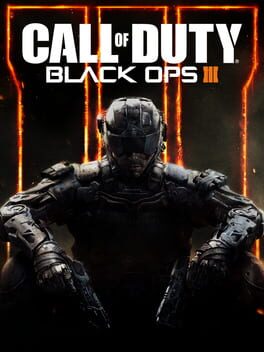
콜 오브 듀티: 블랙 옵스 III (Call of Duty: Black Ops III)
Microsoft Windows · AYN Thor Max · GameNative · 성능 등급 플레이 가능
emulog 설정 해석
| 구성 | AYN Thor Max + GameNative |
|---|---|
| 에뮬레이터 빌드 | v.0.8.1 |
| 그래픽 드라이버 | [KIMCHI Turnip] Mesa Turnip driver v25.0.0 - Revision 1 |
| 기재된 설정 항목 | 26개 (기본값과 다르게 바꾼 항목 14개) |
| 성능 등급 | 플레이 가능 |
기본값에서 조정된 항목: 에뮬레이터 버전, Wine 버전, 오디오 드라이버, Steam 유형, 동적 드라이버 버전, 그래픽 드라이버.
등급 판단 근거
이 게임에 등급이 기재된 보고 1건 가운데 이 조합보다 높은 등급은 0건(0%), 같은 등급은 0건입니다. 작성자 코멘트 원문은 1,669자입니다.
세팅값
| 항목 | 설정값 |
|---|---|
| 컨테이너 변형 | bionic |
| 에뮬레이터 버전 | v.0.8.1 |
| Wine 버전 | proton-9.0-x86_64 |
| 해상도 (화면 크기) | 1280x720 (16:9) |
| 오디오 드라이버 | pulse |
| Steam 유형 | ultra_light |
| 동적 드라이버 버전 | [KIMCHI Turnip] Mesa Turnip driver v25.0.0 - Revision 1 (배포 파일: turnip_v25.0.0_R1.zip) |
| 그래픽 드라이버 | Turnip (Adreno) |
| DX 래퍼 | DXVK |
| DXVK 버전 | async-1.10.3 |
| DX Wrapper 설정 (버전, 프레임 속도, 최대 메모리) | Max Device Memory -> 4096 DX Wrapper -> DXVK DXVK Version -> async-1.10.3 Use DRI3 -> YES |
| 최대 장치 메모리 | 4096 |
| Adrenotools Turnip 사용 | 켜짐 |
| 시작 선택 | Aggressive (Stop services on startup) |
| 32비트 에뮬레이터 | fex |
| 64비트 에뮬레이터 | fex |
| Box64 버전 | 0.3.6 |
| Box64 프리셋 | performance |
| FEXCore 버전 | N/A |
| FEXCore 프리셋 | performance |
| DirectInput 매퍼 유형 | standard |
| DirectInput API 활성화 | 켜짐 |
| XInput API 활성화 | 켜짐 |
| Steam Input 사용 | 꺼짐 |
| 평균 FPS | 35-50 |
| YouTube | https://www.youtube.com/watch?v=WiGTUXX-cMk&t=400s |
작성자 코멘트(인용)
아래 코멘트는 EmuReady 사용자가 작성한 원문이며, emulog 은 한국어 번역과 위 해석만 추가했습니다.
🎮 인터랙티브 버전으로 열기**설정이 목록에 없으면 기본값이 적용됩니다!** 링크된 YouTube 영상은 아래와 다른 설정을 보여줍니다(업데이트된 설정임). !!!!중요 면책 조항!!!! THOR에 BO3를 설치할 때 멀티플레이어를 설치하지 마세요. 캠페인과 모든 Zombies DLC는 정상 작동하지만 멀티플레이어를 설치하면 즉시 크래시됩니다! 수동 Steam Workshop 설치로 모드를 테스트했지만 실제 게임에서는 작동하지 않았으며, 커스텀 Zombies 맵도 선택 후 Zombies 화면으로 돌아가며 ‘맵 로드 실패’ 오류가 발생했습니다. General: Container Variant -> bionic Wine Version -> proton-9.0-x86_64 Screen Size -> 1280x720 (16:9) Audio Driver -> PulseAudio Steam Type -> Ultra Light Graphics: Graphics Driver -> Wrapper-v2 Graphics Driver Version -> turnip25.1.0 DX Wrapper -> DXVK VKD3D Version -> async-1.10.3 Max Device Memory -> 4096 Use Adrenotools Turnip -> Yes Use DRI3 -> Yes Emulation: Box64 Version -> 0.3.6 Box64 Preset -> Performance Win Components: DirectSound -> Builtin (Wine) IN GAME SETTINGS: VISUALS: Motion Blur -> OFF Film Grain -> OFF Chromatic Aberration -> OFF Camera Shake -> OFF VIDEO: Window Mode -> FULLSCREEN Resolution -> 1280x720 Max FPS -> 120 VSync -> OFF Dynamic Resolution Scaling -> OFF Graphics Quality -> HIGH View Distance -> HIGH Shadow Quality -> HIGH Anti-Aliasing -> HIGH Texture Quality -> HIGH Visual Effects -> HIGH Post Processing -> HIGH
** If a setting is not listed, it is whatever the default setting is at! ** The linked Youtube video shows different settings than what's listed below as these are updated settings. !!!!IMPORTANT DISCLAIMER!!!! DO NOT INSTALL MULTIPLAYER WHEN INSTALLING BO3 ON THE THOR. EVERYTHING ELSE WORKS FINE INCLUDING ALL THE ZOMBIES DLC AND THE CAMPAIGN BUT INSTALLING MULTIPLAYER WOULD INSTANTLY CRASH THE GAME FOR ME! I also tested mods through manual steam workshop installation and even got them readable on the Thor but when trying them in an actual game, they didn't work. The game just ran as if there were no mods. Custom Zombies Maps also were unplayable. The custom maps would be listed as an option to play but they just sent you back to the zombies screen and gave a failed to load map error. General: Container Variant -> bionic Wine Version -> proton-9.0-x86_64 Screen Size -> 1280x720 (16:9) Audio Driver -> PulseAudio Steam Type -> Ultra Light Graphics: Graphics Driver -> Wrapper-v2 Graphics Driver Version -> turnip25.1.0 DX Wrapper -> DXVK VKD3D Version -> async-1.10.3 Max Device Memory -> 4096 Use Adrenotools Turnip -> Yes Use DRI3 -> Yes Emulation: Box64 Version -> 0.3.6 Box64 Preset -> Performance Win Components: DirectSound -> Builtin (Wine) IN GAME SETTINGS: VISUALS: Motion Blur -> OFF Film Grain -> OFF Chromatic Aberration -> OFF Camera Shake -> OFF VIDEO: Window Mode -> FULLSCREEN Resolution -> 1280x720 Max FPS -> 120 VSync -> OFF Dynamic Resolution Scaling -> OFF Graphics Quality -> HIGH View Distance -> HIGH Shadow Quality -> HIGH Anti-Aliasing -> HIGH Texture Quality -> HIGH Visual Effects -> HIGH Post Processing -> HIGH