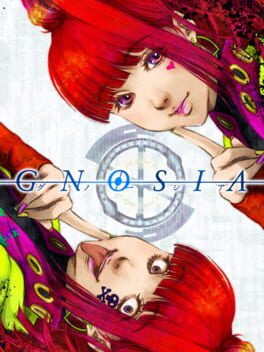
그노시아 (Gnosia)
Microsoft Windows · Samsung Galaxy S23 Ultra (SD) · GameHub · 성능 등급 완벽
emulog 설정 해석
| 구성 | Samsung Galaxy S23 Ultra (SD) + GameHub |
|---|---|
| 에뮬레이터 빌드 | v5.1.3 |
| 기재된 설정 항목 | 23개 (기본값과 다르게 바꾼 항목 7개) |
| 성능 등급 | 완벽 |
기본값에서 조정된 항목: 에뮬레이터 버전, 네이티브 렌더링+, GameHub Lite 사용, DInput 라이브러리, GPU 드라이버, CPU 번역기.
등급 판단 근거
이 게임에 등급이 기재된 보고 2건 가운데 이 조합보다 높은 등급은 0건(0%), 같은 등급은 1건입니다. 동일 에뮬레이터(GameHub)로 다른 기기에서 올라온 보고는 1건입니다. 작성자 코멘트 원문은 926자입니다.
같은 에뮬레이터의 다른 기기 결과
- Realme GT Neo 2 — 완벽
세팅값
| 항목 | 설정값 |
|---|---|
| 에뮬레이터 버전 | v5.1.3 |
| 네이티브 렌더링+ | Auto |
| GameHub Lite 사용 | 켜짐 |
| 게임 해상도 | 1280 x 720 |
| 그래픽 향상 플러그인 비활성화 | 꺼짐 |
| 호환성 레이어 | proton10.0-x64x-1 |
| 번역 파라미터 | Game Preset |
| DInput 라이브러리 | Prefer Native |
| 오디오/비디오 디코딩 건너뛰기 | 꺼짐 |
| GPU 드라이버 | turnip_v25.3.0_R5_one_ui7 |
| 서피스 포맷 | RGBA8 |
| 오디오 드라이버 | Pulse |
| VKD3D 버전 | vkd3d-2.12 |
| CPU 번역기 | Box64-0.39 |
| DXVK 버전 | dxvk-2.3.1-async |
| CPU 코어 제한 | No Limit |
| VRam 제한 | No Limit |
| DX 래퍼 | DXVK |
| 클라우드 저장 데이터 자동 동기화 | 켜짐 |
| 오프라인 모드 | 꺼짐 |
| Steam 클라이언트 버전 | steam_9866233 |
| Steam Input | 꺼짐 |
| 게임 소스 | Steam |
작성자 코멘트(인용)
아래 코멘트는 EmuReady 사용자가 작성한 원문이며, emulog 은 한국어 번역과 위 해석만 추가했습니다.
🎮 인터랙티브 버전으로 열기최적의 경험을 위해 블루투스 컨트롤러 사용을 권장합니다. 블루투스 컨트롤러와 완벽히 통합됩니다. 터치스크린이나 화면 마우스는 불편할 수 있습니다. 화면 마우스를 사용할 경우 대화를 건너뛰는 경우가 있어 최적의 경험이 아닙니다. - 클라우드 저장은 작동하지 않습니다. Gamehub는 저장 데이터를 업로드하지만 Steam과 동기화되지 않으며, Steam에서는 플레이 기록과 카드만 표시됩니다. - 최적 결과를 위해 게임 내 해상도를 1280x720으로 설정하세요. - Gamehub 설정에서 Super Resolution을 켜고 Sharpness를 5로 설정하면 화면이 크게 개선됩니다. - Samsung 기기의 디더링 효과를 수정하려면 OneUI turnip 드라이버가 필요합니다. 자세한 내용은 Emuready, #ghl-resources 채널을 확인하세요.
For the best experience I suggest playing with a bluetooth controller. It has perfect integration with a bluetooth controller. Otherwise using the touch screen controls or the on-screen mouse can be kind of annoying. If using the on-screen mouse sometimes you may sometime skip some dialog to move the mouse around which is not the optimal experience and the touch screen controls HUD gets in the way of the experience IMO. - Cloud saves do not work unfortunately. Gamehub will upload save data but it doesn't sync with Steam. Steam does show you playing the game and you can earn cards though. - Set in-game resolution to 1280x720 for best results. - In the Gamehub in-game settings I set super resolution to on and turn on sharpness to 5. It makes the game look great. - The OneUI turnip driver is required to fix the dithering effect that Samsung devices have. Check the Emuready, #ghl-resources channel for more info.