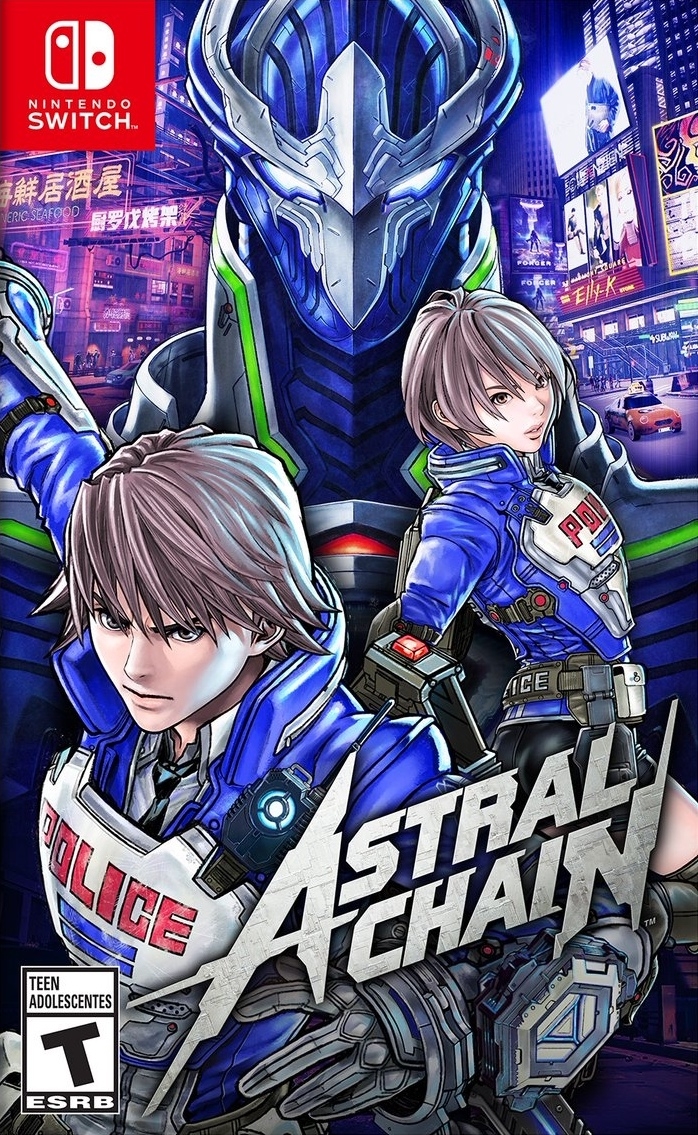
ASTRAL CHAIN (애스트럴 체인) (Astral Chain)
Nintendo Switch · AYN Thor Pro · Eden · 성능 등급 완벽
emulog 설정 해석
| 구성 | AYN Thor Pro + Eden |
|---|---|
| 에뮬레이터 빌드 | v0.2.0-rc1 |
| 그래픽 드라이버 | [KIMCHI Turnip] v26.0.0 - Revision 8 + super beta 8xx support |
| 기재된 설정 항목 | 31개 (기본값과 다르게 바꾼 항목 4개) |
| 성능 등급 | 완벽 |
기본값에서 조정된 항목: 에뮬레이터 버전, 드라이버 버전, 게임 버전, 평균 FPS.
등급 판단 근거
이 게임에 등급이 기재된 보고 21건 가운데 이 조합보다 높은 등급은 0건(0%), 같은 등급은 10건입니다. 동일 에뮬레이터(Eden)로 다른 기기에서 올라온 보고는 17건입니다. 작성자 코멘트 원문은 1,230자입니다.
같은 에뮬레이터의 다른 기기 결과
- Retroid Pocket Flip 2 - SD — 완벽
- Retroid Pocket 5 — 완벽
- AYN Thor Base — 완벽
- AYANEO KONKR Pocket FIT (G3 Gen 3) — 완벽
- AYN Thor Max — 완벽
세팅값
| 항목 | 설정값 |
|---|---|
| 에뮬레이터 버전 | v0.2.0-rc1 |
| 드라이버 버전 | [KIMCHI Turnip] v26.0.0 - Revision 8 + super beta 8xx support (배포 파일: turnip_a8xx.zip) |
| 독 모드 | 꺼짐 |
| 속도 제한 | 켜짐 |
| 정확도 수준 | Normal |
| 해상도 | 1 |
| 디스크 셰이더 캐시 | 켜짐 |
| 비동기 셰이더 사용 | 꺼짐 |
| 리액티브 플러싱 사용 | 꺼짐 |
| 안티앨리어싱 방식 | None |
| VSync 모드 | FIFO (On) |
| 비등방성 필터링 | Default |
| 창 적응형 필터 | Bilinear |
| 오디오 출력 엔진 | Auto |
| GPU API | Vulkan |
| CPU 정확도 | Auto |
| CPU 백엔드 | Native code execution (NCE) |
| 확장 동적 상태 (Extended Dynamic State) | 0 |
| Provoking Vertex | 꺼짐 |
| 디스크립터 인덱싱 | 꺼짐 |
| 향상된 프레임 페이싱 | 켜짐 |
| 빠른 GPU 시간 사용 | 꺼짐 |
| VRAM 사용 모드 | Conservative |
| NVDEC 에뮬레이션 | CPU |
| ASTC 재압축 방식 | Uncompressed |
| SPIRV 출력 최적화 | On Load |
| 빠른 CPU 시간 | 꺼짐 |
| LRU 캐시 활성화 | 꺼짐 |
| 코어 속도 동기화 | 꺼짐 |
| 게임 버전 | 1.0.0 |
| 평균 FPS | 30 |
작성자 코멘트(인용)
아래 코멘트는 EmuReady 사용자가 작성한 원문이며, emulog 은 한국어 번역과 위 해석만 추가했습니다.
아래 내용은 다소 상세합니다. 이는 에덴 현재 버전에서 확인 가능한 설정과 에뮬레이터 준비 페이지 설정이 일치하지 않기 때문이며, 메모에 적힌 설정을 그대로 사용해 주세요. Thor는 60fps 모드와 중간 성능으로 설정되었습니다. Eden의 fetch 기능을 이용해 Kimchii 메뉴에서 turnip driver 26.0.0_R8_sysmem을 찾고 선택했습니다. 이후 v26.0.0-rc8 메뉴에 들어가 위 드라이버를 선택했습니다. 설정에서는 CPU 오버클럭을 FAST로 바꾸고 시스템 설정에서 Synchronise core speed를 켰습니다. 예전에는 컷신 중 저프레임과 오디오 디싱크 문제가 많았지만 이제는 완전히 해결되었습니다. 첫 번째 컷신에서 1초 정도 프레임이 떨어지는 현상이 있었지만 오디오 디싱크는 발생하지 않았습니다(아스트랄 체인 에뮬 시 흔한 현상). 나머지 설정은 기본값이며 필요에 따라 테스트 및 변경 가능합니다. 덕분에 게임은 30fps 안정적으로 실행되며, 플레이 중이나 컷신 중 드롭이 없었습니다. 3시간 플레이하며 두 개의 미션 파일을 완료했습니다. 이제 Thor에서 가장 멋진 게임을 편안히 즐기세요 :3 Bless.
Please note the following is somewhat detailed but this is because the emu ready page settings do not reflect the settings that I can see in the current Eden version. Please use the ones I have described here in the notes. Thor is set 60fps mode and medium performance. By using the fetch feature in Eden, I was able to find and select turnip driver 26.0.0_R8_sysmem under the Kimchii menu. After this I entered the v26.0.0-rc8 menu and selected the driver above. As for settings I only alyered the CPU overclock to FAST and turned on Synchronise core speed, under system settings in Eden. Formerly I faced many issues with low frames and audio desyc in cutscenes which I am thankful to say have been eliminated entirely. I noticed one drop only in the first cutscene lasting a second but this did not induce any audio desync (very common when emulating astral chain). All other settings are stock and may be tested and altered at your own discretion. Thankfully, the game runs at a stable 30 with no drops during either gameplay or cutscenes and this I tested over 3 hours of playtime, completing 2 files (the games missions). You may finally enjoy the most rad game conceived of from the comfort of the thor :3 Bless.