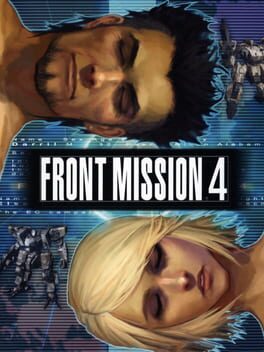
프론트 미션 4 (Front Mission 4)
Sony PlayStation 2 · AYN Thor Max · AetherSX2 · 성능 등급 완벽
emulog 설정 해석
| 구성 | AYN Thor Max + AetherSX2 |
|---|---|
| 에뮬레이터 빌드 | v2.2n-3668 |
| 기재된 설정 항목 | 15개 (기본값과 다르게 바꾼 항목 5개) |
| 성능 등급 | 완벽 |
기본값에서 조정된 항목: 평균 FPS, 에뮬레이터 버전, FXAA 셰이더, 내부 해상도, 업스케일 배수.
등급 판단 근거
이 게임에 등급이 기재된 보고 1건 가운데 이 조합보다 높은 등급은 0건(0%), 같은 등급은 0건입니다. 작성자 코멘트 원문은 410자입니다.
세팅값
| 항목 | 설정값 |
|---|---|
| 평균 FPS | 60 |
| BIOS 지역 | USA (NTSC-U) |
| EE 사이클 레이트 (언더클럭) | 100% (0) |
| EE 사이클 스킵 (오버클럭) | Normal (0) |
| 에뮬레이터 버전 | v2.2n-3668 |
| 스피드 핵 활성화 | 꺼짐 |
| FXAA 셰이더 | 켜짐 |
| Fast CDVD | 꺼짐 |
| 프레임 페이싱 | 켜짐 |
| 내부 해상도 | 0 |
| 멀티스레드 VU | 켜짐 |
| 렌더러 | Vulkan (Recommended) |
| 텍스처 필터링 | Bilinear (PS2) |
| 스레딩 모드 | Multi-threaded (Default) |
| 업스케일 배수 | 4 |
작성자 코멘트(인용)
아래 코멘트는 EmuReady 사용자가 작성한 원문이며, emulog 은 한국어 번역과 위 해석만 추가했습니다.
🎮 인터랙티브 버전으로 열기게임 내 라인을 수정하려면 게임을 길게 눌러 'Game Properties'를 선택하고 'Advanced Settings'로 이동합니다. 다음을 활성화하세요: Align Sprite, Merge Sprite, Wild Arms Fix, Cpu Framebuffer Conversion. Half-Pixel Offset - Special (Texture)를 설정하고, Round Sprite offset를 Full, Skip Draw Start를 -3, Skip Draw End를 5, TC Offset x를 -500, TC Offset Y를 -500으로 설정합니다. 이렇게 하면 창의 라인이 사라집니다.
In order to fix the lines in the game. Long press on the game and choose Game Properties. From there go to Advanced Settings. Enable the Following: Align Sprite Merge Sprite Wild Arms Fix Cpu Framebuffer Conversion Set Half-Pixel Offset - Special (Texture) Round Sprite offset - Full Skip Draw Start -3 Skip Draw End - 5 TC Offset x -500 Tc Offset Y - 500 This fixes the lines on the windows and such enjoy.