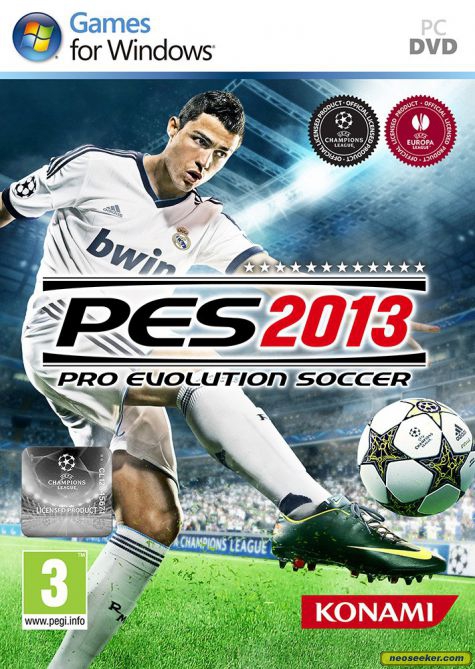
프로 에볼루션 사커 2013 (Pro Evolution Soccer 2013)
Microsoft Windows · MANGMI Air X · GameHub · 성능 등급 완벽
기기 스펙
| SoC | Qualcomm Snapdragon 662 |
|---|---|
| CPU | Cortex-A73 / Cortex-A53 4x / 4x |
| GPU | Qualcomm Adreno 610 |
| RAM | 4 GB LPDDR4X |
| 화면 | 5.5 inch |
| 해상도 | 1920 x 1080 |
| 성능 티어 | 1 |
emulog 설정 해석
| 구성 | MANGMI Air X + GameHub |
|---|---|
| 에뮬레이터 빌드 | 5.1.3 |
| 기재된 설정 항목 | 26개 (기본값과 다르게 바꾼 항목 18개) |
| 성능 등급 | 완벽 |
기본값에서 조정된 항목: 에뮬레이터 버전, 네이티브 렌더링+, GameHub Lite 사용, 게임 해상도, 호환성 레이어, 번역 파라미터.
등급 판단 근거
이 게임에 등급이 기재된 보고 9건 가운데 이 조합보다 높은 등급은 0건(0%), 같은 등급은 3건입니다. 동일 에뮬레이터(GameHub)로 다른 기기에서 올라온 보고는 4건입니다. 작성자 코멘트 원문은 1,549자입니다.
같은 에뮬레이터의 다른 기기 결과
- Xiaomi Redmi 12 — 완벽
- Motorola Moto G100 — 플레이 가능
- Samsung Galaxy A15 5G — 미흡
- Samsung Galaxy A15 5G — 미흡
세팅값
| 항목 | 설정값 |
|---|---|
| 에뮬레이터 버전 | 5.1.3 |
| 네이티브 렌더링+ | Force Enabled |
| GameHub Lite 사용 | 켜짐 |
| 게임 해상도 | 960x544 |
| 그래픽 향상 플러그인 비활성화 | 꺼짐 |
| 호환성 레이어 | proton9.0-x64-3 |
| 번역 파라미터 | Other/Custom |
| DInput 라이브러리 | Prefer Native |
| 오디오/비디오 디코딩 건너뛰기 | 꺼짐 |
| GPU 드라이버 | turnip_v25.0.0_R1 |
| 서피스 포맷 | RGBA8 |
| 오디오 드라이버 | Pulse |
| VKD3D 버전 | vkd3d-2.12 |
| CPU 번역기 | Box64-0.38 |
| DXVK 버전 | dxvk-2.5.3 |
| CPU 코어 제한 | 6 Core |
| VRam 제한 | No Limit |
| DX 래퍼 | DXVK |
| 클라우드 저장 데이터 자동 동기화 | 꺼짐 |
| 오프라인 모드 | 켜짐 |
| Steam Input | 꺼짐 |
| 구성 요소 | mono, base |
| 게임 크기 | 6 GB |
| 평균 FPS | 50-60 |
| 게임 소스 | Other |
| YouTube | https://www.youtube.com/watch?v=Np0nIFpf5J8 |
작성자 코멘트(인용)
아래 코멘트는 EmuReady 사용자가 작성한 원문이며, emulog 은 한국어 번역과 위 해석만 추가했습니다.
게임이 플레이(50-60 FPS)와 컷신(25-30 FPS) 모두 완벽하게 실행됩니다. 그래픽·오디오 오류 없음. 기본 매치 모듈에 적용되며, 아직 모든 모듈을 테스트하지는 않았지만 괜찮을 것으로 보입니다. 가끔 이유 없이 게임이 한두 번 크래시되지만 매우 드뭅니다. 해상도를 854x480으로 낮추면 부드러움을 더 높일 수 있습니다(게임 화면은 여전히 괜찮음). Translation Params에서는 커스텀을 사용하고, "Performance" 설정을 가져와 SafeFlags를 "2 : Full Handling"으로 바꾸세요. CPU Core Limit 파라미터를 조정해 보세요: 8을 사용하지 말고 4‑7 사이 값을 시험해 보세요. 코어가 적을수록 전력 소모가 감소합니다. 컨테이너/게임 실행 중 Gamehub Lite 메뉴의 Native Rendering+ 섹션에서 "Force Enable"를 체크하는 것이 중요합니다. 또한 "HDR"와 "Super Resolution" 옵션으로 게임이 어떻게 동작하는지도 확인해 보세요. 게임 설정(settings.exe)에서: - 화면 모드: 전체 화면 - 해상도: Gamehub 컨테이너와 동일하게 960x544 (16:9) - 화질: Low - 프레임 스키핑: 체크 해제 - Vsync 대기: 체크 해제 다음 패치를 설치할 수 있습니다: * PESedit ver.3.8 (원본 시즌 2012/2013: 무면허 팀용 키트·로고·스쿼드 등 - https://evoweb.uk/threads/pesedit-2013-3-8-link.103048/) * Real Patch 26 (시즌 2025/2026 업데이트 - https://www.kazemario.com/2025/11/pes-2013-real-patch-26-season-update.html) 이 패치는 게임을 30 FPS로 변경하지만 크게 눈에 띄지는 않으며, 60 FPS만큼 부드럽지는 않습니다.
The game runs perfect both gameplay (50-60 FPS) and cutscenes (25-30 FPS). No graphics or audio errors. This applies to the basic match module; I haven't tested all the modules yet, but it looks like it will be fine. It happened to me once or twice the game crashed for no reason, but that's very rare. There is even space to increase the smoothness of the game by reducing the resolution to 854x480 (game still looks good) In Tansaltion Params you need to use custom - just take "Perormance" setting and change SafeFlags to "2 : Full Handling" You can play with CPU Core Limit parameter : don't use 8, check values between 4-7. Probably less cores = less power consumption. Important thing is to check "Force Enable" in Native Rendering+ section in Gamehub Lite menu when container/game is running. Also you can check how the game runs with options "HDR" and "Super Resolution" In game settings via "settings.exe" - screen mode : full screen - resolution: should be the same as in gamehub container i.e. 960x544 (16:9) - picture quality : Low - Enable Frame Skipping : unchecked - Wait for Vsync : unchecked You can install patches like: * PESedit ver.3.8 (original season 2012/2013 : kits, logos, and squads for unlicensed teams etc. - https://evoweb.uk/threads/pesedit-2013-3-8-link.103048/) * Real Patch 26 (season 2025/2026 update - https://www.kazemario.com/2025/11/pes-2013-real-patch-26-season-update.html) This patch changes the game in some way that it now runs at 30 FPS, and it doesn't look bad, but it's not as smooth as at 60.