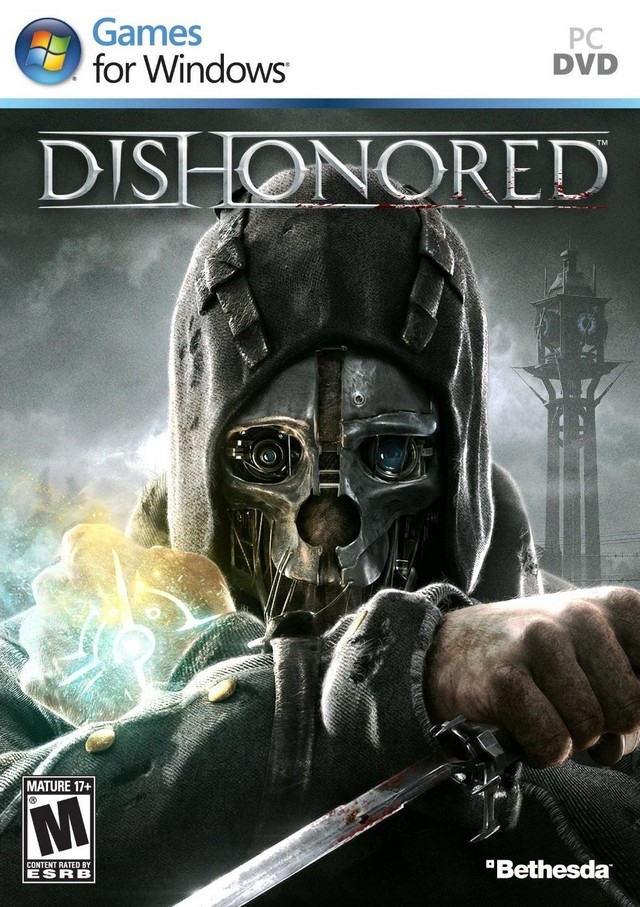
디시오너드 (Dishonored)
Microsoft Windows · Samsung Galaxy A52s 5G · GameNative · 성능 등급 완벽
emulog 설정 해석
| 구성 | Samsung Galaxy A52s 5G + GameNative |
|---|---|
| 에뮬레이터 빌드 | 1.2.1 |
| 그래픽 드라이버 | [Mr. Purple Turnip] turnip_mrpurple_T30-toasted.adpkg |
| 기재된 설정 항목 | 29개 (기본값과 다르게 바꾼 항목 15개) |
| 성능 등급 | 완벽 |
기본값에서 조정된 항목: 에뮬레이터 버전, Wine 버전, 실행 인자, 해상도 (화면 크기), 오디오 드라이버, 동적 드라이버 버전.
등급 판단 근거
이 게임에 등급이 기재된 보고 20건 가운데 이 조합보다 높은 등급은 0건(0%), 같은 등급은 9건입니다. 동일 에뮬레이터(GameNative)로 다른 기기에서 올라온 보고는 7건입니다. 작성자 코멘트 원문은 781자입니다.
같은 에뮬레이터의 다른 기기 결과
- RedMagic 11 Pro — 완벽
- Retroid Pocket 6 — 완벽
- Samsung Galaxy S20 FE (SD) — 완벽
- Retroid Pocket 5 — 완벽
- AYN Odin 3 Base — 훌륭함
세팅값
| 항목 | 설정값 |
|---|---|
| 컨테이너 변형 | bionic |
| 에뮬레이터 버전 | 1.2.1 |
| Wine 버전 | proton-11.0.-1-arm64ec-1 |
| 실행 인자 | -nostartupmovies |
| 해상도 (화면 크기) | 800x600 |
| 오디오 드라이버 | pulse |
| Steam 유형 | normal |
| 동적 드라이버 버전 | [Mr. Purple Turnip] turnip_mrpurple_T30-toasted.adpkg (배포 파일: turnip_mrpurple_T30-toasted.adpkg.zip) |
| 그래픽 드라이버 | Turnip (Adreno) |
| DX 래퍼 | DXVK |
| DXVK 버전 | 2.6.1-gplasync |
| DX Wrapper 설정 (버전, 프레임 속도, 최대 메모리) | version=2.7.1-1-gplasync-0,framerate=0,maxDeviceMemory=0,async=1,asyncCache=1,vkd3dVersion=2.14.1,vkd3dLevel=12_1,ddrawrapper=none,csmt=3,gpuName=NVIDIA GeForce GTX 480,videoMemorySize=2048,strict_shader_math=1,OffscreenRenderingMode=fbo,renderer=gl |
| 최대 장치 메모리 | 0 |
| Adrenotools Turnip 사용 | 켜짐 |
| 시작 선택 | Essential (Load only essential services) |
| 32비트 에뮬레이터 | fex |
| 64비트 에뮬레이터 | fex |
| Box64 버전 | 0.4.2 |
| Box64 프리셋 | compatibility |
| FEXCore 버전 | 2609-0 |
| FEXCore 프리셋 | intermediate |
| DirectInput 매퍼 유형 | standard |
| DirectInput API 활성화 | 켜짐 |
| XInput API 활성화 | 켜짐 |
| Steam Input 사용 | 꺼짐 |
| 환경 변수 | WRAPPER_MAX_IMAGE_COUNT=0 ZINK_DESCRIPTORS=lazy ZINK_DEBUG=compact,deck_emu MESA_SHADER_CACHE_DISABLE=false MESA_SHADER_CACHE_MAX_SIZE=1024MB mesa_glthread=true WINEESYNC=1 MESA_VK_WSI_PRESENT_MODE=mailbox TU_DEBUG=noconform VKD3D_SHADER_MODEL=6_0 PULSE_LATENCY_MSEC=144 |
| 평균 FPS | 55 |
| 스크린샷, 블로그 게시물 등 | https://www.mediafire.com/file/or7966nrgupet3d/Dishonored_config.json/file |
| YouTube | https://youtu.be/qbkmpQe0vc4 |
작성자 코멘트(인용)
아래 코멘트는 EmuReady 사용자가 작성한 원문이며, emulog 은 한국어 번역과 위 해석만 추가했습니다.
🎮 인터랙티브 버전으로 열기**800x600 해상도**에서 **50-60 FPS**로 실행됩니다 (휴대폰 화면에 적합하며, 터치스크린 사용 시 4:3만 보이기 때문에 괜찮습니다) ***(Config 파일 링크는 아래로 스크롤하세요. 설정 파일 업로드가 허용되지 않으면 알려주세요!)*** 게임 내 해상도는 800x600으로 맞춰야 하며, 설정은 모두 최저로, V-Sync는 OFF입니다. FexCore 프리셋(Compatibility, Performance, Extreme 등)의 경우, Dishonored는 "Intermediate" 이하를 선택했을 때만 열렸습니다. _ *터치스크린 컨트롤 레이아웃은 영상을 참고하세요 (안타깝게도 내보내기 방법은 없습니다)* LT 버튼을 토글로, LB 버튼을 큰 원형으로 만들고 "Shooter Mode"를 활성화하는 것을 추천합니다. 컨트롤 방법은 영상을 시청해 보세요~ (FPS가 화면 캡처로 인해 낮습니다. 해당 영역에서 보통 45-50 FPS가 나옵니다)
Runs with **50-60 FPS** on **800x600 resolution** (fine for phone screen, if using touchscreen 4:3 is all you can see anyways) ***(Scroll down for link to Config file, if uploading configs are not allowed, please let me know!)*** In-game resolution must match at 800x600, settings were all set to lowest, V-Sync OFF. In regards to FexCore Preset (Compatibility, Performance, Extreme... etc.), Dishonored only openned when picking "Intermediate" and below. _ *For touch-screen controlls layout, see video (unfortunately there is no way to export them)* I recommend making the LT button a toggle, the LB button a big circle and enabling "Shooter Mode". Feel free to watch the video for how it controlls~ (FPS is lower due to screen capture, I usually get 45-50 FPS in that area)