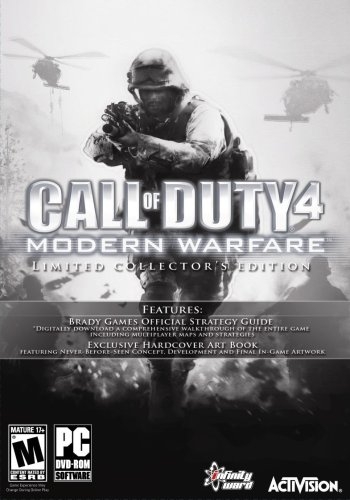
콜 오브 듀티 4: 모던 워페어 (Call of Duty 4: Modern Warfare)
Microsoft Windows · Retroid Pocket Flip 2 - SD · GameHub · 성능 등급 완벽
emulog 설정 해석
| 구성 | Retroid Pocket Flip 2 - SD + GameHub |
|---|---|
| 에뮬레이터 빌드 | v5.3.4 (whatever is the newest one) |
| 기재된 설정 항목 | 23개 (기본값과 다르게 바꾼 항목 8개) |
| 성능 등급 | 완벽 |
기본값에서 조정된 항목: 에뮬레이터 버전, GameHub Lite 사용, DInput 라이브러리, GPU 드라이버, CPU 번역기, 클라우드 저장 데이터 자동 동기화.
등급 판단 근거
이 게임에 등급이 기재된 보고 8건 가운데 이 조합보다 높은 등급은 0건(0%), 같은 등급은 3건입니다. 동일 에뮬레이터(GameHub)로 다른 기기에서 올라온 보고는 3건입니다. 작성자 코멘트 원문은 3,161자입니다.
같은 에뮬레이터의 다른 기기 결과
- Honor Magic 8 Lite — 완벽
- Xiaomi Poco X7 Pro — 플레이 가능
- Samsung Galaxy Tab A9 — 플레이 가능
세팅값
| 항목 | 설정값 |
|---|---|
| 에뮬레이터 버전 | v5.3.4 (whatever is the newest one) |
| 네이티브 렌더링+ | Disabled |
| GameHub Lite 사용 | 켜짐 |
| 게임 해상도 | 1280 x 720 |
| 그래픽 향상 플러그인 비활성화 | 꺼짐 |
| 호환성 레이어 | proton10.0-x64x-1 |
| 번역 파라미터 | Game Preset |
| DInput 라이브러리 | Prefer Native |
| 오디오/비디오 디코딩 건너뛰기 | 꺼짐 |
| GPU 드라이버 | Turnip_v26.1.0_R4 |
| 서피스 포맷 | RGBA8 |
| 오디오 드라이버 | Pulse |
| VKD3D 버전 | vkd3d-2.12 |
| CPU 번역기 | Fex_20250910 |
| DXVK 버전 | dxvk-2.3.1 |
| CPU 코어 제한 | No Limit |
| VRam 제한 | No Limit |
| DX 래퍼 | DXVK |
| 클라우드 저장 데이터 자동 동기화 | 꺼짐 |
| 오프라인 모드 | 켜짐 |
| Steam 클라이언트 버전 | Lightweight Mode |
| Steam Input | 꺼짐 |
| 게임 소스 | Steam |
작성자 코멘트(인용)
아래 코멘트는 EmuReady 사용자가 작성한 원문이며, emulog 은 한국어 번역과 위 해석만 추가했습니다.
🎮 인터랙티브 버전으로 열기GameHub Lite(최신)에서 스팀 비버전(독립 실행형)으로 오프라인에서도 동일하게 작동합니다. 전체 컨트롤러 지원을 위해: - PC/노트북(초기 업데이트 다운로드 및 설정용) - COD4 사전 설치본(해상도에서 획득) - Alterware - iw3sp exe (https://gitea.com/JerryALT/iw3sp_mod) 1. COD4 PC 버전을 가지고 있다면 Alterware 모드(iw3sp_mod_v#.#.#.zip)를 다운로드합니다. 2. zip 파일의 모든 파일을 COD4 루트 디렉터리(iw4.exe 위치)에 압축 해제합니다. 3. 루트 디렉터리에서 iw3sp_mod.exe를 더블클릭하면 CMD 창이 열려 업데이트를 다운로드합니다(완료되면 사라짐). 아무것도 안 뜨고 바로 게임이 실행되면 다음 단계로. 4. 게임을 실행(iw3sp_mod.exe만 사용, 기본 iw4sp.exe는 사용 금지)하고 프로필·그래픽을 설정합니다(예: Flip 2에서 1280x780, AA 8x, DirectX9D 선택). 프로필 데이터는 루트에 자동 생성됩니다. 5. 전체 COD4 루트 디렉터리를 복사해 기기 내부 저장소나 microSD 등 원하는 위치에 옮깁니다. 6. GameHub Lite에서 PC 게임 가져오기 → iw3sp_mod.exe를 선택(기본 .exe가 아니라 중요). 아이콘에 캡틴 프라이스·가즈·맥이 표시됩니다. 7. PC 게임 설정 → 호환성에서 GPU 드라이버를 Turnip_v26.1.0_R4로 지정합니다. 자동 다운로드가 안 되니 직접 다운로드 후 전역 설정에 적용합니다. 8. 게임 실행 후 그래픽을 바꾸면 문제가 생길 수 있습니다. 흰색 CMD 메뉴가 뜨면 터치스크린으로 최소화하거나 X를 눌러 닫고, 기기 버튼만으로 네비게이션이 가능하도록 합니다. 9. 즐기세요! 언락 치트와 모든 미션 버튼(옵션) 및 moddb 모드를 루트의 mod 폴더에 넣을 수 있습니다. 인게임 모드 매니저는 사용하지 않았습니다. ‘안전 모드로 실행하시겠습니까’ 팝업이 뜨면 터치 포인터로 No를 선택합니다. 게임은 대부분 50‑60FPS를 유지하며 RPG‑7과 폭발을 연속 사용해도 끊김 없이 재생됩니다. 영상·음성 동기화 문제도 없습니다.
This is on Gamehub Lite (whatever is the newest one) and NO steam version for this (this is standalone version) but I always offline steam works the same as below For full controller support for this, you'll have: -PC/Laptop (just for initial to download updates from iw3sp mod and set up your settings) -COD4 Copy Pre-Installed (obtained from the high seas) -Alterware - iw3sp exe (https://gitea.com/JerryALT/iw3sp_mod) 1. While you have your COD 4 PC version, you'll have to download the Alterware mod (should be iw3sp_mod_v#.#.#.zip 2. Now Extract all the files in this zip into the root dir of your COD4 (where the iw4.exe is) 3. Still on your PC, double click on iw3sp_mod.exe in the root dir, a CMD prompt will pop up to download whatever updates (just wait until it disappears) or if you don't get anything and launches you into the game, great, then next step 4. Once in the game (by always launch iw3sp_mod.exe and NOT the default iw4sp.exe or etc.), adjust your profile and graphics setting (on my Flip 2, I did 1280 x 780, with everything max except AA I did 8x and only said yes on the Directx9D whatever at the end). Profile data is made in the root directory automatically. 5. Now, copy and paste the entire COD4 root directory (with everything you did above) and transfer it to your device (either internal storage or microsd, wherever you want, you can also make folders or organize it yourself - doesn't have to be specific... for me I just made a [PC Game] folder in the internal storage root and dragged and dropped there 6. Get your Gamehub Lite, and import PC game, Import iw3sp_mod.exe! not the default .exe, its important to do this (you should get a icon of Capt. Price, Gaz, Mac on the icon with "iw3sp"). 7. Now, in pc game settings, compatibility (before you launch), everything is default except GPU driver I'm using is Turnip_v26.1.0_R4 (make sure you manually download this because the gamehub lite client that "downloads for you" fails all the time (even with usingyour cell phone's hotspot - which worked for all other updates forsome weird reason). You need to go to the GPU driver list here and download, which then you can select it globally for other games 8. Launch Game, change any graphics settings, if it broke... if you get an iw3sp cmd - white menu of code, just using your touchscreen to minimize this windows or X out of it and press whatever button on your device. The game is now 100% device button supported for navigation) without using your touchscreen mouse or keyboard at all (there is very minor settings, you have t use your mouse for but thats fine..) 9. Have Fun! also there is a unlock cheat and all missions button (optional) and you can download moddb mods for this game and place it in the mod folder of the root dir... I have not tried to download using the in-game mod manager (even though it populates some).. also, if you get a "do you want to run in safe mode" popup, just use your touchscreen pointer and click no Smooth Gameplay, 50-60 FPS mostly even with spamming RPG 7s and explosions with noob tubes (I have cheats on). Video and audio plays well and no issues with desyncs at all