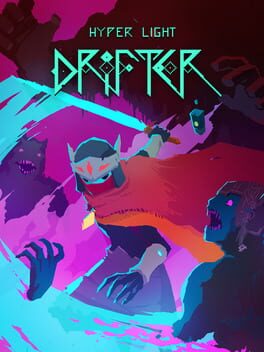
하이퍼 라이트 드리프터 (Hyper Light Drifter)
Microsoft Windows · Lenovo Legion Y700 Gen 3 · GameHub · 성능 등급 완벽
emulog 설정 해석
| 구성 | Lenovo Legion Y700 Gen 3 + GameHub |
|---|---|
| 에뮬레이터 빌드 | 5.1.3 |
| 기재된 설정 항목 | 25개 (기본값과 다르게 바꾼 항목 14개) |
| 성능 등급 | 완벽 |
기본값에서 조정된 항목: 에뮬레이터 버전, 네이티브 렌더링+, GameHub Lite 사용, 게임 해상도, 호환성 레이어, 번역 파라미터.
등급 판단 근거
이 게임에 등급이 기재된 보고 8건 가운데 이 조합보다 높은 등급은 0건(0%), 같은 등급은 5건입니다. 동일 에뮬레이터(GameHub)로 다른 기기에서 올라온 보고는 3건입니다. 작성자 코멘트 원문은 2,312자입니다.
같은 에뮬레이터의 다른 기기 결과
- Retroid Pocket 5 — 완벽
- AYANEO KONKR Pocket FIT (G3 Gen 3) — 완벽
- Samsung Galaxy S24 — 플레이 가능
세팅값
| 항목 | 설정값 |
|---|---|
| 에뮬레이터 버전 | 5.1.3 |
| 네이티브 렌더링+ | Force Enabled |
| GameHub Lite 사용 | 켜짐 |
| 게임 해상도 | 1920 x 1080 |
| 그래픽 향상 플러그인 비활성화 | 꺼짐 |
| 호환성 레이어 | proton10.0-arm64x-2 |
| 번역 파라미터 | Extreme |
| DInput 라이브러리 | Prefer Native |
| 오디오/비디오 디코딩 건너뛰기 | 꺼짐 |
| GPU 드라이버 | turnip_v26.0.0_M1 |
| 서피스 포맷 | RGBA8 |
| 오디오 드라이버 | Pulse |
| VKD3D 버전 | vkd3d-proton-2.14.1 |
| CPU 번역기 | Fex-20260103 |
| DXVK 버전 | dxvk-2.6-arm64ec-async |
| CPU 코어 제한 | No Limit |
| VRam 제한 | No Limit |
| DX 래퍼 | DXVK |
| 클라우드 저장 데이터 자동 동기화 | 꺼짐 |
| 오프라인 모드 | 꺼짐 |
| Steam 클라이언트 버전 | steam_9866233 |
| Steam Input | 꺼짐 |
| 게임 크기 | 600 MB |
| 평균 FPS | 60 |
| 게임 소스 | Steam |
작성자 코멘트(인용)
아래 코멘트는 EmuReady 사용자가 작성한 원문이며, emulog 은 한국어 번역과 위 해석만 추가했습니다.
🎮 인터랙티브 버전으로 열기IMPORTANT NOTICE: 이 게임은 저장 파일마다 고유 키가 연결되는 특이한 저장 시스템을 사용합니다. 이를 우회하려면 .sav 파일을 메모장으로 직접 편집하거나 저장 파일 전송 도구를 사용해야 합니다. 클라우드 저장을 지원하지 않으니 에뮬레이터의 내보내기 기능으로 로컬 백업을 권장합니다. IMPORTANT NOTICE 2: 이 게임은 Google Play 스토어에서 Android 버전으로 제공되며 컨트롤러를 지원하지만, Android Gamepad 프로토콜이 활성화되지 않는 버그가 있습니다. 컨트롤러의 오른쪽 버튼을 누르면 Android 시스템 백 버튼으로 인식되어 두 번 연속 누르면 앱이 종료됩니다. 이 버그는 수정될 전망이 없어 Android 포트보다 PC 에뮬레이션으로 플레이할 것을 권장합니다.
IMPORTANT NOTICE: This game has a weird saving system where each save is linked with a unique key for each PC or Windows Emulator that makes a save file, this can be circumvented, but it will take manually editing .sav files in Notepad or to use an tool for transferring saves. It also doesn't support Cloud Saves, so I suggest that you use the emulator's export saves function to make local backups. IMPORTANT NOTICE 2: This game is available on Android from Google Playstore and it does have controller support, but there is a glitch were it doesn't activated the Android Gamepad protocol, so any time you press the right face button on a controller it will take that as using the Android System Back Button and close out of the app after two presses in a row. Due to this and because it doesn't seem like it will ever be fixed I suggest playing this game through PC emulation instead of the Android Port. Tablet's Game Assistant Mode: Balanced Mode Tablet's Screen Refresh Rate Mode: Standard (60Hz){Gamehub Lite and Eden tend to ignore this setting and default to a 165Hz refresh rate when in use} Average CPU Usage: 0.67-0.90GHz Average GPU Usage: 231MHz Average Frame Rate: 60fps Average Temperature: <30 - 34C (Low Temps) Average Power Draw: 3-4W With this device, the most limiting factor to performance is the heat management (Although this specific game will not cause any overheating). This device lacks any sort of fan or any other form of active cooling, as such it struggles to maintain a suitable internal temperature of below 40C/104F when running at max performance. To minimize heat damage to your device I highly suggest that you use several setting to limit performance and power draw while gaming. Settings such as Standard Mode for Screen Refresh Rate (60Hz Mode), Balanced Mode in Game Assistant (0.67-2.04GHz CPU speed), limiting game resolution to 720p x 30 FPS for 3D games, using the lowest in-game graphical settings, and using the latest Turnip Drivers and Android Bionics (arm64ec) components are all ways to keep the devices total power draw to <7W, which will allow the device to maintain a 35-40C internal temperature. To monitor the tablet's Wattage I use an app called Wattz, and for all other metrics I use the floating icons provided by Lenovo Game Assistant.