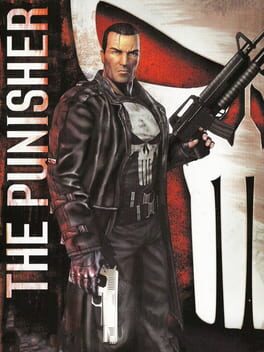
더 퍼니셔 (The Punisher)
Sony PlayStation 2 · AYN Thor Base · AetherSX2 · 성능 등급 훌륭함
emulog 설정 해석
| 구성 | AYN Thor Base + AetherSX2 |
|---|---|
| 에뮬레이터 빌드 | NetherSX2 v2.2n-4248 (Patched) |
| 기재된 설정 항목 | 14개 (기본값과 다르게 바꾼 항목 3개) |
| 성능 등급 | 훌륭함 |
기본값에서 조정된 항목: 에뮬레이터 버전, 내부 해상도, 업스케일 배수.
등급 판단 근거
이 게임에 등급이 기재된 보고 1건 가운데 이 조합보다 높은 등급은 0건(0%), 같은 등급은 0건입니다. 작성자 코멘트 원문은 1,597자입니다.
세팅값
| 항목 | 설정값 |
|---|---|
| BIOS 지역 | USA (NTSC-U) |
| EE 사이클 레이트 (언더클럭) | 100% (0) |
| EE 사이클 스킵 (오버클럭) | Normal (0) |
| 에뮬레이터 버전 | NetherSX2 v2.2n-4248 (Patched) |
| 스피드 핵 활성화 | 꺼짐 |
| FXAA 셰이더 | 꺼짐 |
| Fast CDVD | 꺼짐 |
| 프레임 페이싱 | 켜짐 |
| 내부 해상도 | 0 |
| 멀티스레드 VU | 켜짐 |
| 렌더러 | Vulkan (Recommended) |
| 텍스처 필터링 | Bilinear (PS2) |
| 스레딩 모드 | Multi-threaded (Default) |
| 업스케일 배수 | 2.5 |
작성자 코멘트(인용)
아래 코멘트는 EmuReady 사용자가 작성한 원문이며, emulog 은 한국어 번역과 위 해석만 추가했습니다.
🎮 인터랙티브 버전으로 열기이 게임은 아래 **지정된 조정**이 있어야 완벽하지만, 없으면 *거의 플레이 불가능*합니다. AetherSX2와 PCSX2에서 오래된 문제를 몇 가지 트윅으로 해결할 수 있지만, 없으면 강렬한 끊김이 발생합니다. 첫 번째 미션 알리 웨이에서 컨트롤을 잡는 순간 프레임이 절반으로 감소하고, 게임이 슬로우 모션으로 변하며 모든 음성 클립도 느려집니다. 잠시 정상 속도로 돌아갔다가 다시 느려집니다. 이 끊김은 길고 규칙적이라 게임을 할 수 없습니다. 해상도 낮추기, 사이클 레이트 조정 등으로는 해결되지 않았습니다. - **해결 방법**: 게임 속성 → 그래픽 설정 → ‘rendering’ 항목에서 ‘hardware download mode’를 ‘disabled (ignore transfers)’로 변경합니다. 그 후 게임 속성 → 고급 설정 → 시스템 설정에서 ‘VU1 clamp mode’를 ‘Extra + Preserve sign’으로 바꿉니다. 이렇게 하면 게임이 완벽히 실행됩니다. 해상도를 Thor의 1080p 디스플레이에 맞게 올려도 문제 없습니다. 첫 레벨을 두 번 돌고 두 번째 레벨을 시작했을 때 끊김이나 지연이 전혀 없었습니다. 다른 사소한 문제는 로딩 화면 중에 가끔 정적 이미지가 나타나는 것뿐이며, 이는 플레이에 영향을 주지 않습니다.
This game is perfect with the ***specified tinkering below*** - but is *borderline unplayable* without it. There is longstanding issues with this game on AetherSX2 and PCSX2 on PCs that can be fixed with a few tweaks but without them, the game has regular, intense slowdowns. You will notice this when you boot into the very first mission in the alleyway - the framerate cuts in half the second you gain control, the game runs in slow motion and all the voice clips play in slow motion. It will briefly run at normal speed before it slows down again. The slow downs are long and very regular and render the game unplayable. Turning down the resolution, tweaking the cycle rate etc does not remedy the issue at all in my experience. - **To fix this**; go to game properties -> graphics settings -> under the 'rendering' heading, find the option 'hardware download mode' and switch it to 'disabled (ignore transfers)'. Then, still in game properties, go to advanced settings -> under system settings scroll all the way down to 'VU1 clamp mode' and switch it to 'Extra + Preserve sign' With those changes, the game should run perfectly for you. You can crank the resolution up in the settings to match the Thor's 1080p display, and it's all good! I did two additional runs through the first level and started the second, and encountered no stutters or slows at all. The only other very minor issue to flag here is some glitchy, static images during the loading screen. They don't always trigger but sometimes when loading into a level you can see them, but they don't effect playability at all.