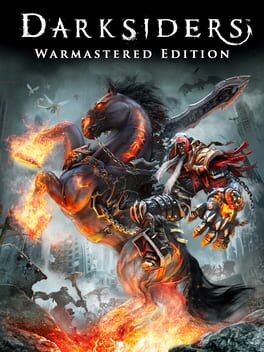
다크사이더스: 워마스터 에디션 (Darksiders: Warmastered Edition)
Microsoft Windows · AYN Odin 3 Pro · GameNative · 성능 등급 훌륭함
emulog 설정 해석
| 구성 | AYN Odin 3 Pro + GameNative |
|---|---|
| 에뮬레이터 빌드 | 1.1.0 |
| 그래픽 드라이버 | [Mr. Purple Turnip] turnip_mrpurple_T29-toasted.adpkg |
| 기재된 설정 항목 | 26개 (기본값과 다르게 바꾼 항목 18개) |
| 성능 등급 | 훌륭함 |
기본값에서 조정된 항목: 에뮬레이터 버전, Wine 버전, 해상도 (화면 크기), 오디오 드라이버, 동적 드라이버 버전, 그래픽 드라이버.
등급 판단 근거
이 게임에 등급이 기재된 보고 4건 가운데 이 조합보다 높은 등급은 2건(50%), 같은 등급은 1건입니다. 동일 에뮬레이터(GameNative)로 다른 기기에서 올라온 보고는 2건입니다. 작성자 코멘트 원문은 597자입니다.
같은 에뮬레이터의 다른 기기 결과
- RedMagic 11 Pro — 완벽
- Retroid Pocket G2 — 훌륭함
세팅값
| 항목 | 설정값 |
|---|---|
| 컨테이너 변형 | bionic |
| 에뮬레이터 버전 | 1.1.0 |
| Wine 버전 | proton-10.0-arm64ec |
| 해상도 (화면 크기) | 1920x1080 |
| 오디오 드라이버 | pulse |
| Steam 유형 | normal |
| 동적 드라이버 버전 | [Mr. Purple Turnip] turnip_mrpurple_T29-toasted.adpkg (배포 파일: turnip_mrpurple_T29-toasted.adpkg.zip) |
| 그래픽 드라이버 | Turnip (Adreno) |
| DX 래퍼 | VKD3D |
| DXVK 버전 | 2.7.1 |
| DX Wrapper 설정 (버전, 프레임 속도, 최대 메모리) | version=2.7.1-1-gplasync-0,framerate=0,maxDeviceMemory=0,async=1,asyncCache=1,vkd3dVersion=2.12,vkd3dLevel=12_1,ddrawrapper=none,csmt=3,gpuName=NVIDIA GeForce GTX 480,videoMemorySize=2048,strict_shader_math=1,OffscreenRenderingMode=fbo,renderer=gl,vkd3dFeatureLevel=12_2 |
| 최대 장치 메모리 | 0 |
| Adrenotools Turnip 사용 | 꺼짐 |
| 시작 선택 | Essential (Load only essential services) |
| 32비트 에뮬레이터 | box |
| 64비트 에뮬레이터 | box |
| Box64 버전 | 0.4.0 |
| Box64 프리셋 | intermediate |
| FEXCore 버전 | 2512 |
| FEXCore 프리셋 | intermediate |
| DirectInput 매퍼 유형 | standard |
| DirectInput API 활성화 | 켜짐 |
| XInput API 활성화 | 켜짐 |
| Steam Input 사용 | 꺼짐 |
| 환경 변수 | WRAPPER_MAX_IMAGE_COUNT=0 ZINK_DESCRIPTORS=lazy ZINK_DEBUG=compact MESA_SHADER_CACHE_DISABLE=false MESA_SHADER_CACHE_MAX_SIZE=512MB mesa_glthread=true WINEESYNC=1 MESA_VK_WSI_PRESENT_MODE=mailbox TU_DEBUG=noconform PULSE_LATENCY_MSEC=144 |
| 평균 FPS | 60 |
작성자 코멘트(인용)
아래 코멘트는 EmuReady 사용자가 작성한 원문이며, emulog 은 한국어 번역과 위 해석만 추가했습니다.
🎮 인터랙티브 버전으로 열기게임은 거의 완벽하게 60 fps로 구동됩니다. 다만, 이 모드를 설치하지 않으면 컷신에서 멈춤 현상이 발생합니다. https://www.nexusmods.com/darksiderswarmasterededition/mods/20 파일을 다운로드하여 Odin의 Download 폴더에 압축을 푸십시오. 그 다음 GameNative를 실행하고 게임 상세 페이지의 톱니바퀴 메뉴에서 "Open Container"를 클릭하십시오. A 드라이브로 이동하여 media 아래의 videos 폴더를 비웁니다. 그 후 D: 드라이브의 Download 폴더에 있는 videos 파일들을 A 드라이브의 videos 폴더로 복사하십시오. 종료하면 설정이 완료됩니다. 저는 더 효율적인 작업을 위해 USB C로 마우스를 연결하여 진행했습니다.
The game runs on at a near perfect 60 fps. It will hang however in the cutscenes unless you install this mod. https://www.nexusmods.com/darksiderswarmasterededition/mods/20 Download and extract in the Download folder on your Odin. Then open GameNative and click on "Open Container" in the cogwheel menu when on the game details page. Then go into the A drive and empty the videos folder under media. Then copy the videos from the Download folder, found under drive D: to the videos folder on the A drive. Close and you are good to go. I connected a mouse over USB C to do this more efficiently.