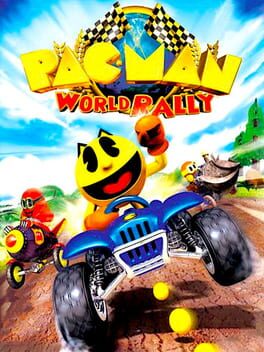
팩맨 월드 랠리 (Pac-Man World Rally)
Sony PlayStation Portable · Anbernic RG40XX V/H · PPSSPP · 성능 등급 플레이 가능
emulog 설정 해석
| 구성 | Anbernic RG40XX V/H + PPSSPP |
|---|---|
| 에뮬레이터 빌드 | 1.18.1 |
| 기재된 설정 항목 | 16개 (기본값과 다르게 바꾼 항목 8개) |
| 성능 등급 | 플레이 가능 |
기본값에서 조정된 항목: 비등방성 필터링, 평균 FPS, 백엔드, 에뮬레이터 버전, 프레임 스킵, 게임 버전.
등급 판단 근거
이 게임에 등급이 기재된 보고 2건 가운데 이 조합보다 높은 등급은 1건(50%), 같은 등급은 0건입니다. 동일 에뮬레이터(PPSSPP)로 다른 기기에서 올라온 보고는 1건입니다. 작성자 코멘트 원문은 1,939자입니다.
같은 에뮬레이터의 다른 기기 결과
- Google Pixel 3 — 완벽
세팅값
| 항목 | 설정값 |
|---|---|
| 비등방성 필터링 | 16 |
| 안티앨리어싱 (MSAA) | Off |
| 평균 FPS | 26/30 |
| 백엔드 | OpenGL (Android/PC) |
| 에뮬레이터 버전 | 1.18.1 |
| Fast Memory | 켜짐 |
| 프레임 스킵 | 1 |
| 게임 버전 | ULUS10149 |
| 이펙트 해상도 낮추기 | Off |
| 멀티스레드 (MT) | 켜짐 |
| 렌더링 해상도 | 1 |
| 스크린샷, 블로그 게시물 등 | https://postimg.cc/gallery/19V0Xp2 |
| 소프트웨어 렌더링 (느림, 정확함) | 꺼짐 |
| 텍스처 필터링 | Auto (Default) |
| 텍스처 스케일링 | Off |
| VSync | 켜짐 |
작성자 코멘트(인용)
아래 코멘트는 EmuReady 사용자가 작성한 원문이며, emulog 은 한국어 번역과 위 해석만 추가했습니다.
🎮 인터랙티브 버전으로 열기1x 해상도에서 대부분의 게임이 풀스피드로 실행됩니다. 배틀/아레나 모드는 일반적으로 30fps 풀로 실행되며 매우 드물게 2-3fps 정도 떨어집니다. 다만 대부분의 레이스 트랙에는 성능이 17-20fps까지 급락하는 구간이 있습니다. 따라서 프레임 스킵 없이는 플레이가 불가능합니다. 에뮬레이션 속도가 50% 아래로 내려가는 것 같지 않으므로 "frame skip = 1"과 "auto frameskip"을 함께 쓰는 것이 안전한 선택입니다(제가 사용한 설정이며 문제가 없었습니다). 스크린샷 절반은 30fps 아래로 실행되는 모습을 보여주지만, 이는 일부러 성능이 떨어지는 레이스 트랙 구간을 포착하려 했기 때문입니다. 보통 60-100초짜리 랩 중 2-5초 길이의 구간이며, 각 트랙의 대부분은 30fps로 실행됩니다. 첫 번째 트랙의 오프닝 컷신은 어째서인지 이 게임에서 가장 부하가 큰 요소 중 하나입니다(오버헤드 카메라가 트랙 위로 내려오며 트랙 전체를 비추기 때문일 것입니다). 다만 좋은 벤치마크가 됩니다. 이 부분을 프레임 드롭 없이 렌더링할 수 있다면 아마 게임 전체를 풀스피드로 실행할 수 있을 것입니다. "Rolling Hills" 트랙은 성능이 17-22fps 정도에 머무는 구간이 많아 가장 부하가 큰 트랙인 것 같습니다. 다른 트랙 대부분은 성능이 떨어지는 구간이 몇 개밖에 없습니다. 일반적으로 가장 큰 문제가 되는 구간은 3가지 유형입니다. 1. "큰 간격을 건너뛰게 하는 램프" 구간입니다. "Winding Wetlands"와 "Canyon Crusade"의 이러한 램프 구간은 5-10fps를 떨어뜨리며, "Jungle Safari"의 것은 2-4fps를 떨어뜨립니다. 2. "숏컷 게이트" 구간입니다(다만 일부만 해당). 게이트가 닫혀 있어도 그 뒤의 오브젝트가 렌더링되어 저하가 발생하는 것으로 추정합니다. 3. "트랙의 큰 부분이 보이는 맵의 먼 가장자리" 구간입니다. 그래도 "Arctic Iceberg"처럼 모든 것이 30fps로 실행되는 트랙도 있습니다. OS: ROCKNIX 20250518
At 1x resolution, most of the game runs at full speed. Battle/arena mode generally runs at full 30fps with very rare 2-3fps drops. However, most race tracks contain sections where performance can tank even as far as dropping to 17-20fps. So the game is not playable without frame skips. Since emulation speed never seems to drop below 50%, "frame skip = 1" paired with "auto frameskip" is a safe option (this is what I used and I haven't had any issues). Half my screenshots will show the game running below 30fps, but this is because I was deliberately trying to catch the race track sections where performance drops. These are usually 2-5 second long sections in 60-100 second long laps, with the majority of each track running at 30fps. The opening cut scene of the first track is one of the most demanding things this game has to offer for some reason (probably because the entire track is displayed by the overhead camera as it pans into the track). But it serves as a good benchmark. If a device can render this part without dropping frames, then it can probably run the entire game at full speed. The track "Rolling Hills" is probably the most demanding track in the game since it has many sections where performance hovers around 17-22fps. Most of the other tracks only have a couple of sections where performance drops. In general, there are 3 section types that represent the biggest issues: 1. The "ramp that launches you over a large gap" sections. These ramp sections in "Winding Wetlands" and "Canyon Crusade" drop fps by 5-10, while the one in "Jungle Safari" drops 2-4fps. 2. The "shortcut gate" sections (but only some of them). I assume objects behind the gates are being rendered even if the gate is closed, causing slowdown. 3. The "far edge of the map from which you can see a huge chunk of the track" sections. Still, there are also tracks like "Arctic Iceberg" where everything runs at 30fps. OS: ROCKNIX 20250518